
How to Evaluate Cloud Workstation Providers for High-Performance Tasks
Cloud workstations occupy a strange blind spot in infrastructure coverage: the workstation comparisons argue cloud versus local for CAD seats, while the AI infrastructure conversation ignores workstations entirely — yet real teams buy both, and the budget question is where interactive high-performance work ends and cluster work begins. This page connects the two conversations: what the workstation tier is, when it beats a local box (and when it does not), and the signals that interactive work has graduated into cluster territory.
Quick Answer: How Do You Evaluate Cloud Workstations for High-Performance Tasks?
A cloud workstation is an interactive, GPU-backed remote machine — the virtual-workstation products running RTX-class GPUs for simulation, ray tracing, 3D design, and light AI work. Evaluate on three layers: cloud versus local (cloud wins throughput, access, and burst; local wins latency and long-term cost — hence the repatriation trend); provider tenancy (dedicated seats materially beat shared virtualization on cost and performance); and tier boundary — sustained multi-GPU, scheduler-needing, or team-contended work graduates to dedicated clusters, the tier OneSource Cloud delivers with single-tenant bare metal.
What a Cloud Workstation Is — and Is Not
A cloud workstation is an interactive, GPU-backed remote machine — the same virtual-workstation products that power simulation, ray tracing, 3D design, and light AI work — delivering a desktop experience with RTX-class GPUs and enterprise drivers from a data center. It is not a training cluster: one or a few GPUs, an interactive session profile, and per-seat economics. The category exists for high-performance interactive tasks; treating it as cheap cluster capacity (or a cluster as an overpowered workstation) misprices both and frustrates users of both.
| Tier | Session Profile | GPU Scale | Economics |
|---|---|---|---|
| Cloud workstation | Interactive desktop | One to a few GPUs | Per seat |
| GPU cluster | Batch and scheduled jobs | Multi-node, multi-GPU | Per capacity |
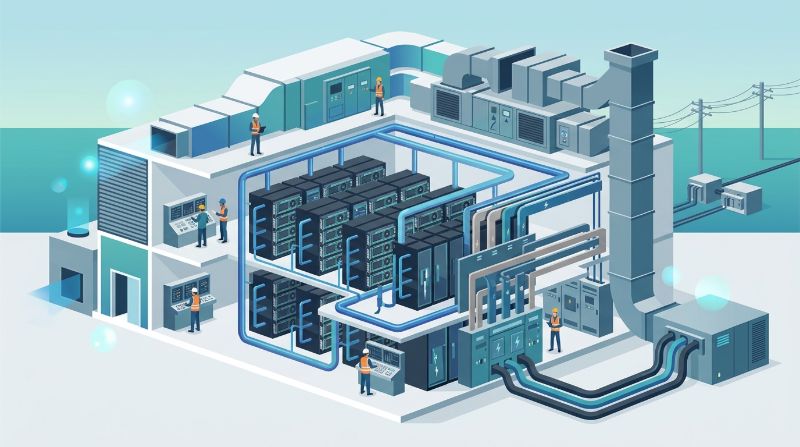
NVIDIA's own positioning defines the category cleanly — virtual workstations for high-demand simulations, ray tracing, 3D design, and AI workloads, with RTX Enterprise GPUs and drivers — and the definition carries the boundary with it: the moment the task stops being interactive (scheduled training runs, batch inference, queue-based rendering), the workstation tier is the wrong product regardless of how well it demos.
Cloud Workstation or Local: The Honest Trade
The comparison is settled at the margin: cloud wins throughput, remote access, collaboration, and burst scale — no capex, elastic GPU size — while local wins latency, consistency, and long-term predictable cost, which is why the workstation repatriation trend exists as cloud prices compound. Within cloud, the delivery model matters: comparisons report dedicated workstation hardware materially outperforming shared virtualization on both cost and performance, so a cloud workstation buyer should weight provider tenancy the way an AI buyer does. The honest rule: latency-critical daily drivers stay local or on dedicated cloud seats; burst, collaboration, and distance-heavy work fits cloud.
| Factor | Cloud Workstation | Local Workstation |
|---|---|---|
| Latency | Protocol-dependent | Structurally local |
| Throughput and burst | Elastic GPU size | Fixed by purchase |
| Access and collaboration | Anywhere, shared sessions | Physical presence |
| Long-term cost | Compounding subscription | Predictable depreciation |
Two provider-level checks matter more than the cloud-versus-local debate. First, tenancy: roundups of dedicated versus shared virtualization seats report the dedicated side winning on both cost and performance by wide margins — the same shared-versus-dedicated physics that governs GPU clouds. Second, display path: interactive quality is decided by the remoting protocol under your real applications, not the demo video — pilot with your heaviest interactive workload before rolling a team, because latency tolerance is workload-specific and geography-specific.
The Cluster Boundary: Where Workstation Work Graduates
Workstation work graduates to cluster capacity on three signals: sustained multi-GPU need (training runs, large-batch inference) where per-seat economics invert; scheduler needs (queues, checkpoints, gang placement) that interactive sessions cannot express; and team-scale contention where multiple workstation users need the same sustained capacity. That graduation lands on GPU clusters — and for steady, regulated, or fabric-sensitive programs, on dedicated single-tenant clusters such as OneSource Cloud delivers with bare-metal nodes, RoCE v2 fabric, and flat-rate monthly pricing. The mature setup keeps workstation seats for interactive work and contracts cluster capacity for batch work, rather than stretching either tier to do both.
| Graduation Signal | What It Looks Like | Tier Answer |
|---|---|---|
| Sustained multi-GPU need | Training runs outgrew the seat | Cluster capacity |
| Scheduler needs | Queues, checkpoints, gang placement | Scheduler-native cluster |
| Team contention | Multiple seats competing for sustained capacity | Shared dedicated cluster |
The AI prototyping pattern is the most common graduation: a developer prototypes on a workstation GPU seat — exactly what those seats are for — and the prototype works, grows, and starts needing multi-GPU runs with checkpoint discipline. Stretching the workstation seat to that workload fails on economics and capability simultaneously; the two-tier posture — interactive seats plus a dedicated cluster such as OneSource Cloud Private AI Infrastructure, with single-tenant bare-metal nodes and flat-rate monthly pricing — serves both working modes without either tier compensating for the other.
FAQ
Should latency-sensitive interactive work move to cloud workstations at all?
Only with dedicated seats and a tested display path: interactive latency is the local workstation's structural advantage, and cloud-workstation repatriation exists because compounding cloud costs bought the same latency. Move interactive work to cloud for access, collaboration, or burst reasons — never for latency — and pilot with your real applications before rolling a team.
When does AI prototyping on a workstation need real cluster capacity?
On the three signals: sustained multi-GPU training where per-seat economics invert, scheduler needs like checkpoint queues that interactive sessions cannot express, and team contention for the same sustained capacity — the point where dedicated clusters such as the single-tenant bare-metal environments OneSource Cloud delivers take over, while workstation seats stay for interactive development.
Related Articles
Recommended Reading
latest articles
-
Best GPU Cloud Hosting Providers: Why Rankings Differ and How to Build Yours
-
The Four Categories of Cloud Platforms for AI Workloads
-
RunPod Compared: How It Stacks Up Against Other AI Cloud Providers
-
GPU Cloud Computing: Comparing Bare Metal vs Virtualized vs Serverless Providers
-
Lambda Labs Compared with AI Research Compute Companies and What Each Sells
-
How to Evaluate Cloud Workstation Providers for High-Performance Tasks
-
Choosing Among Cloud Deep Learning Platform Types from IaaS to Dedicated Clusters
-
RunPod for AI Model Training and the Alternatives That Win at Scale
-
AI Infrastructure vs General Cloud Providers: Why the Same GPU Prices Differently
-
Lambda Labs Competitors Compared Across the GPU Cloud Provider Landscape