
On-Premise AI Infrastructure vs Colocation vs Hosted Cloud
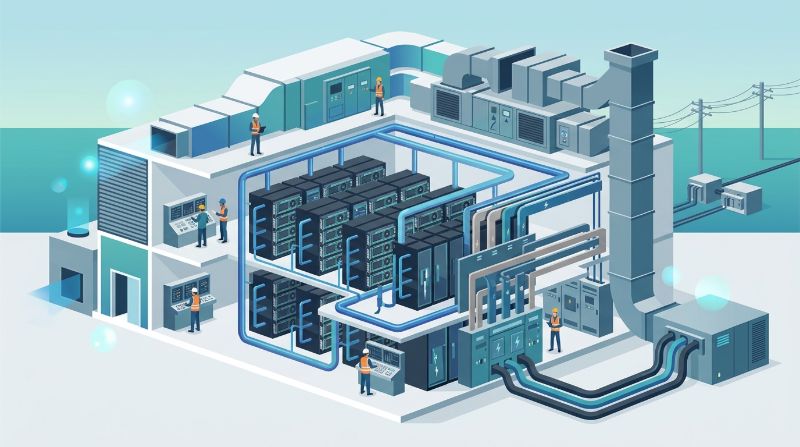
On-premise AI infrastructure is GPU compute, storage, and networking hardware that an organization owns and operates in its own facility to run AI training and inference. It gives the most physical control, but it moves three costs onto the organization that cloud pricing hides: facility power and cooling, round-the-clock operations staff, and hardware refresh. Whether on-premise beats colocation or hosted private infrastructure depends on whether your facility can support dense GPU racks today, whether you can staff operations, and what utilization you will actually sustain.
Three Models for Dedicated AI Infrastructure
Organizations that want dedicated GPUs rather than shared cloud instances choose among three models. They differ in who owns the facility, the hardware, and the operational work.
| Factor | On-premise | Colocation | Hosted private AI infrastructure |
|---|---|---|---|
| Facility | Yours | Colocation provider | Provider |
| Hardware ownership | Yours | Yours | Provider or yours, by contract |
| Operations | Your team | Your team, with optional remote hands | Provider |
| Tenancy | Single-tenant | Single-tenant hardware in a shared building | Single-tenant hardware in a provider facility |
| Upfront spend | Hardware plus facility upgrades | Hardware plus setup | Low; contract-based monthly cost |
| Main risk | Facility cannot support density; staffing gaps | Staffing gaps; remote troubleshooting | Dependence on the provider's operations quality |
All three keep your data on hardware no other customer uses. The difference is how much of the surrounding work you take on.
Can Your Facility Support GPU Racks?
This is the first question because it is often the deciding one. Uptime Institute's global surveys have put average data center rack density in the single-digit kilowatts, and relatively few facilities support racks above 30 kW. GPU servers change that math sharply.
Worked Example: Power and Cooling for a 32-GPU Cluster
An NVIDIA DGX H100-class server holds 8 GPUs in 8U and is rated at 10.2 kW maximum input power. A 32-GPU cluster of four such servers:
| Item | Calculation | Result |
|---|---|---|
| Maximum GPU server power | 4 × 10.2 kW | 40.8 kW |
| Cooling load | 40.8 kW × 3,412 BTU/hr per kW | about 139,000 BTU/hr |
| Cooling tonnage | 139,000 ÷ 12,000 BTU/hr per ton | about 11.6 tons |
| Servers per 15 kW rack | 15 ÷ 10.2 | 1 server per rack |
Add networking, storage, and management nodes from their datasheets. A server room provisioned at 5 to 10 kW per rack cannot host even one of these servers per rack at full power without upgrades. Newer, denser systems widen the gap further, and the densest rack-scale GPU systems require direct liquid cooling.
Facility Checklist
| Item | Question to answer |
|---|---|
| Power per rack | Can each rack receive the server's maximum draw, with redundant feeds? |
| Total room power | Is there spare capacity at the panel and UPS, not only at the outlet? |
| Cooling method | Can air cooling remove the heat, or are rear-door heat exchangers or liquid cooling needed? |
| Floor loading | Can the floor hold racks with servers at around 130 kg each? |
| Physical security | Is access controlled and logged to the standard your auditors expect? |
| Network | Is there space and cabling for a high-speed compute fabric? |
If several answers are "no," the realistic comparison is between facility upgrades, colocation, and hosted capacity, not between on-premise and cloud.
A Total Cost of Ownership Model
Comparing on-premise and other options on hardware price alone understates on-premise cost. A complete monthly cost includes these components:
| Cost component | How to estimate it |
|---|---|
| Hardware | Purchase price ÷ planned service life in months (commonly 36–60) |
| Facility | Upgrade cost amortized, plus space cost |
| Electricity | Average draw × hours × PUE × utility rate |
| Networking and storage | Equipment amortized over its life |
| Support contracts | Hardware warranty and software subscriptions |
| Staff | Share of salaries for infrastructure, network, storage, platform, and on-call |
| Software | Orchestration, monitoring, and security tools |
| Refresh reserve | Funds for the next GPU generation |
Worked Example: Electricity
Electricity is easy to estimate and often left out. For the 32-GPU cluster above, assuming servers average 70% of rated maximum and a facility PUE of 1.5:
- Average draw: 40.8 kW × 0.7 = 28.6 kW
- Annual IT energy: 28.6 kW × 8,760 hours ≈ 250,000 kWh
- Annual facility energy: 250,000 × 1.5 = 375,000 kWh
- At an example rate of $0.10 per kWh: about $37,500 per year
Replace the assumptions with your measured draw, your facility's PUE, and your contracted rate. The structure of the calculation is what matters.
Worked Example: Staffing
Staffing is usually the largest hidden cost. A seat staffed around the clock covers 8,760 hours a year. One full-time engineer works roughly 1,800 to 2,000 hours a year after leave and training. Covering one continuous seat therefore takes about 4.5 to 5 engineers. An on-call rotation is cheaper, but it still needs enough engineers with GPU, fabric, and storage skills that no one is on call every week.
Break-Even Utilization: When Owning Beats Renting
The cleanest way to compare dedicated infrastructure with on-demand cloud is break-even utilization:
Break-even utilization = fully loaded dedicated cost per GPU-hour at 100% use ÷ cloud price per GPU-hour
Fully loaded dedicated cost per GPU-hour is total monthly cost (all components above) divided by GPUs × 730 hours. If that figure equals 40% of the cloud price you would actually pay, dedicated infrastructure costs less whenever you use more than 40% of its capacity on average.
Three factors move the break-even point in practice:
- Real utilization. Many shared clusters run well below their nominal capacity because of idle reservations and scheduling gaps. Measure it, do not assume it.
- Cloud discounts. Reserved or committed cloud pricing lowers the denominator and raises the break-even point.
- Staffing. Including the full cost of a 24/7 operations team often raises the dedicated cost more than the hardware does.
Hosted private infrastructure changes the inputs rather than the formula. Facility, electricity, and much of the staffing move into the provider's contract price, which makes the dedicated cost easier to forecast. For a detailed breakdown, see managed AI infrastructure cost line items.
Refresh Risk
NVIDIA has moved to a roughly annual cadence of data center GPU releases. Hardware bought today will not be obsolete quickly for inference and fine-tuning, but it will lose ground for frontier-scale training within a few years. Owning hardware means owning that timing decision. Ask two questions before purchase: over how many years will you amortize the GPUs, and what happens to them when training moves to a newer generation? A common answer is to cascade older GPUs to inference and development work.
When Each Model Fits
| Situation | Best-fit model |
|---|---|
| Existing data center with high-density power, liquid cooling readiness, and an experienced infrastructure team | On-premise |
| Want to own hardware but the facility cannot support GPU density | Colocation |
| Need dedicated, isolated capacity quickly without facility or operations work | Hosted private AI infrastructure |
| Regulation requires control of data location and access, but not ownership of hardware | Hosted private or colocation |
| Workloads still experimental or bursty | Cloud, until demand stabilizes |
A common pattern combines models: steady training and inference on dedicated capacity, with occasional bursts sent to the cloud. Plan for data movement costs and latency if you split workloads this way.
Already Own GPUs On-Premise?
Many organizations bought GPU servers for early projects and now struggle to keep them productive: inconsistent driver versions, no fair way to share capacity, and no one to handle failures at night. Two approaches help without replacing hardware.
Add an orchestration layer. The OnePlus Platform, OneSource Cloud's AI orchestration platform, adds GPU scheduling, quotas, Kubernetes management, and developer workspaces to existing clusters. See the OnePlus Platform.
Hand over operations. Managed AI Infrastructure covers 24/7 monitoring, incident response, driver and firmware management, MIG configuration, capacity planning, and monthly SLA reporting for customer-owned environments.
For organizations without a suitable facility, OneSource Cloud's Private AI Infrastructure provides dedicated, single-tenant capacity in U.S. data centers, including Richardson, Texas.
FAQ
Is on-premise AI infrastructure cheaper than cloud?
It is cheaper when sustained utilization exceeds the break-even point: fully loaded cost per GPU-hour divided by the cloud price you would pay. Include facility, electricity, staffing, and refresh in the fully loaded cost, or the comparison will favor on-premise unfairly.
How much power does an on-premise GPU server need?
An 8-GPU H100-class server is rated at up to 10.2 kW. Four servers need about 41 kW and roughly 11.6 tons of cooling before counting networking and storage.
Do GPU servers require liquid cooling?
Many 8-GPU servers can be air-cooled if the room supports the density. The densest rack-scale systems require direct liquid cooling. Check the vendor's cooling specification against your facility before ordering.
What is the difference between colocation and hosted private cloud for AI?
In colocation you own and operate the hardware in someone else's building. In hosted private infrastructure the provider supplies facility, hardware, and operations, while the environment remains dedicated to you.
Can we run LLMs on-premise for data privacy?
Yes. Open-weight LLMs can be served on owned GPUs. Size GPU memory for weights plus KV cache. A 70B model in BF16 needs about 140 GB for weights alone, so it spans at least two 80 GB GPUs.
Summary
On-premise AI infrastructure offers the most control, but the decision usually turns on three things outside the hardware quote: whether your facility can power and cool GPU racks of 10 kW or more per server, whether you can staff operations around the clock, and whether sustained utilization exceeds the break-even point against cloud pricing. Colocation removes the facility problem. Hosted private infrastructure removes the facility and operations problems while keeping dedicated hardware. Calculate each option with the same fully loaded cost model before choosing.
To compare an on-premise plan against dedicated hosted capacity, explore OneSource Cloud's Private AI Infrastructure.
Related Articles
Recommended Reading
-
How Paged Attention Manages Inference KV Cache
-
Google Cloud GPU Pricing: What Enterprise AI Teams Should Evaluate Before Provisioning
-
Paperspace Pricing 2026: GPU Cost Breakdown
-
AI Infrastructure Costs: Controlling Enterprise GPU Spending
-
CoreWeave Enterprise GPU Cloud: Evaluation for AI Teams
-
CoreWeave vs Lambda Labs: GPU Cloud Provider Comparison
-
AWS GPU Pricing: Instance Types, Cost Structure & Alternatives Guide
-
CoreWeave Alternatives: Compare GPU Clouds
latest articles
-
On-Premise AI Infrastructure vs Colocation vs Hosted Cloud
-
AI Orchestration Platform: How It Works on a Private GPU Cluster
-
Best GPU Cloud Hosting Providers: Why Rankings Differ and How to Build Yours
-
The Four Categories of Cloud Platforms for AI Workloads
-
RunPod Compared: How It Stacks Up Against Other AI Cloud Providers
-
Sovereign AI Cloud: Data Control for U.S. Enterprises
-
How to Choose a HIPAA-Compliant AI Infrastructure Provider
-
How to Build Private AI Infrastructure From Sizing to Operations
-
Lambda Labs Alternatives for Teams Outgrowing GPU Rental
-
GPU Cloud Computing: Comparing Bare Metal vs Virtualized vs Serverless Providers