
GPU ECC Error Handling for Enterprise AI Clusters
GPU ECC error handling is how you treat on-device memory faults: count them, decide whether the board may stay, and keep the evidence. It is a reliability procedure for HBM or GDDR that the driver can correct or cannot correct. It is not a training-hyperparameter problem.
GPU ECC error handling is the operations practice of reading correctable and uncorrectable error counters, applying page retirement or drain rules, and removing devices that cannot keep memory integrity. The goal is a trustworthy card, not a higher SM%.
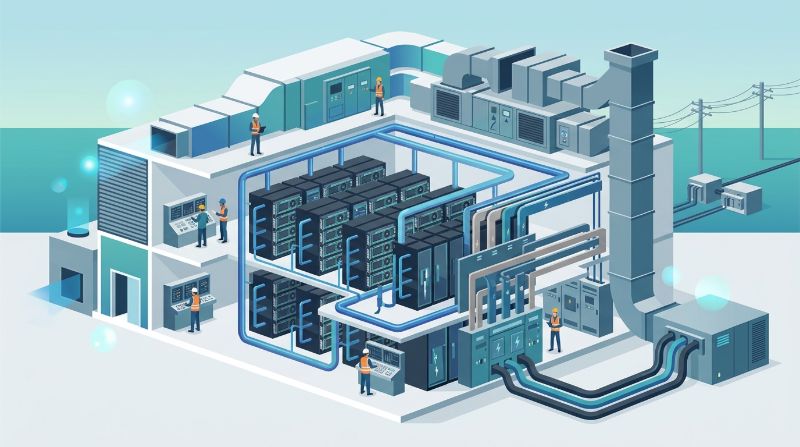
SRE and cluster owners should wire counters before the first silent NaN hunt. This page is the ECC path. It is not an Xid encyclopedia, though some Xid codes will send you here.
What do the two ECC classes mean?
| Class | What the hardware did | Default operations move |
|---|---|---|
| Correctable (single-bit, when ECC is on) | The device fixed the bit and continued | Log, trend, inspect thermals and power; do not ignore a ramp |
| Uncorrectable (often double-bit) | The device could not repair the line | Drain, freeze the serial, open replacement; do not keep serving |
| Retired pages | The driver mapped out a bad region | Record the count; rising retirement is a dying card |
| ECC disabled | Faults may become silent corruption | Treat as a policy exception, not a performance tip |
Read nvidia-smi, DCGM, and vendor counters, not a single user screenshot. Note whether ECC is enabled. A “no errors” report on a card that has ECC off is not a clean bill of health. It is a missing instrument.
How should on-call respond to a new count?
If the event is uncorrectable, drain the GPU or the node and keep the serial out of user queues. Capture counters, Xid lines (Xid 48 often belongs here), temperatures, power, and the last driver. Do not clear counters to “make the dashboard green” before you copy them. You will RMA with empty evidence.
If the event is a single correctable increment after months of zero, log it and watch the slope. If correctable counts step every hour, treat the board as failing even if jobs still pass. Memory that is starting to go does not wait for your change window. Move production replicas first, research jobs second.
Serving Decision Matrix: Enterprise LLM Inference Infrastructure
| Serving Infrastructure Model | Compute & Memory Contention | P99 Tail Latency Predictability | Multi-GPU Tensor Parallelism Support | Optimal Enterprise Workload Fit |
|---|---|---|---|---|
| Shared Multi-Tenant Model APIs | Multi-tenant shared workers; opaque resource pooling | Severe tail latency jitter during peak concurrency spikes | Black-box; no control over model parallelism or KV cache sizing | Low-volume prototyping or asynchronous background tasks |
| Virtualized Cloud GPU Instances | Hypervisor vGPU slices subject to CPU/PCIe interrupts | Moderate jitter caused by neighboring tenant network bursts | High inter-node latency limits multi-GPU tensor scaling (TP=4/TP=8) | General internal apps with modest throughput requirements |
| OneSource Dedicated Private GPUs | Dedicated bare-metal hardware with 100% VRAM & compute reservation | Deterministic microsecond P99 response times under peak load | Dedicated RoCE v2 RDMA fabric enables low-latency TP=4/TP=8 scaling | Mission-critical, low-latency, regulated enterprise production serving |
Shared hosts scramble the story: you cannot tell whose kernel wrote the line. Exclusive cards on private AI infrastructure map a counter to one customer-facing board. That mapping is why ECC handling is also an isolation design.
When does a GPU leave the pool?
Leave after any uncorrectable error you cannot attribute to a one-time cosmic-ray story that never repeats. Leave after page retirement climbs. Leave after a thermal or power incident if counters keep moving once the node is cool. One correctable bit in a year on an otherwise quiet card can stay, with a ticket.
Do not disable ECC to hide the count so a training job can “go faster.” The seconds you gain are not worth silent weight corruption. If a vendor image shipped ECC off, turn it on or isolate that image as non-production until you understand why.
Replacements get a burn-in, not a friendly wave into the serving pool. Managed AI infrastructure should include the drain and the serial handoff. If managed ops cannot name the board that faulted, you are buying a ticket queue, not handling.
How do ECC, Xid, and application errors stay separate?
ECC says the memory system saw a fault. Xid says the driver emitted a device event; some Xids are ECC, many are not. Application NaNs can follow either, or can follow bad data. Start with counters and Xid, then only open the training script if the board is clean on a neighbor GPU.
Do not close an uncorrectable ticket because the job “reran fine on the same GPU.” That is how corrupted checkpoints re-enter the lake. Delete or quarantine outputs from the fault window. AI storage architecture matters here: a bad write should not replicate as the new gold weights.
OneSource Cloud keeps dedicated GPUs in U.S. facilities, including Texas / Richardson, so ECC history stays on boards you can retire. OnePlus Platform, OneSource Cloud's AI orchestration platform, should hide a drained GPU from quota the moment the flag flips. A scheduler that still places work on a retiring serial is part of the incident.
Optimizing production LLM inference requires seamless coordination across compute acceleration, host memory bandwidth, and low-jitter cluster connectivity. Deploying serving frameworks (such as vLLM, TensorRT-LLM, or TGI) on OneSource Cloud dedicated AI infrastructure provides the hardware determinism required to enforce strict Service Level Objectives. With dedicated bare-metal NVIDIA GPUs interconnected via high-bandwidth NVLink within nodes and non-blocking RoCEv2 fabrics across nodes, serving fleets achieve tightly bounded P99 Time to First Token (TTFT) and Time Per Output Token (TPOT), eliminating the latency spikes inherent in multi-tenant shared cloud environments.
FAQ
Should we turn ECC off for more performance?
Not for enterprise training or serving. The integrity risk dominates. If a benchmark requires ECC off, keep that benchmark off the production pool. Write the exception. Do not let it become the default image.
Is one correctable ECC error enough to RMA?
Usually no. A ramp, uncorrectable events, or climbing retired pages is enough. Follow the vendor’s current RMA rule and your own slope. Keep the log either way. Arguments without counters go nowhere.
How is this different from GPU Xid handling?
Xid is the driver’s event stream. ECC is the memory-integrity subsystem and its counters. An Xid may point you at ECC. Many Xids will not. Use both. Do not file every Xid as memory, and do not ignore ECC because no Xid fired yet.
Can cooling problems cause ECC ramps?
Yes. Heat and unstable power show up in memory as well as in clocks. If a tray ran hot, fix the loop and keep watching counters after it cools. A quiet card after a thermal repair can return to the pool. A card that keeps counting cannot.
Do we need a compliance certificate to act on ECC?
No. This is operations evidence, not an attestation. It does not prove SOC 2 or HIPAA. It does prove whether you left a failing board in a regulated data path. Act on the counter anyway.
How does OneSource Cloud infrastructure stabilize LLM inference latency and throughput?
OneSource Cloud provides dedicated bare-metal GPU servers with high-speed PCIe Gen5 NVMe caching and direct NVLink interconnects. By eliminating virtualization overhead, multi-tenant memory bus contention, and noisy-neighbor network cross-talk, OneSource ensures that serving frameworks achieve predictable batch scheduling, bounded P99 token latency, and maximum throughput under sustained enterprise request concurrency.
Summary
Treat uncorrectable ECC as a drain. Trend correctable counts and retired pages. Never clear evidence to clean a graph, and do not disable ECC to win a benchmark on a production node. Separate memory faults from Xid taxonomy and from application bugs.
Exclusive U.S. GPUs make serial-level handling possible. Ask OneSource Cloud to keep failing boards out of quota and to attach counters to the node record. The rule that “uncorrectable leaves the pool” still has to be written by the team that owns the cluster.
Related Articles
Recommended Reading
-
How Paged Attention Manages Inference KV Cache
-
Google Cloud GPU Pricing: What Enterprise AI Teams Should Evaluate Before Provisioning
-
Paperspace Pricing 2026: GPU Cost Breakdown
-
AI Infrastructure Costs: Controlling Enterprise GPU Spending
-
CoreWeave Enterprise GPU Cloud: Evaluation for AI Teams
-
CoreWeave vs Lambda Labs: GPU Cloud Provider Comparison
-
AWS GPU Pricing: Instance Types, Cost Structure & Alternatives Guide
-
CoreWeave Alternatives: Compare GPU Clouds
latest articles
-
GPU Cluster Fabric: Spine-Leaf RoCE Architecture and Latency
-
AI Workload Migration From Public Cloud to Dedicated Hardware
-
GPU Cluster Orchestration: Gang Scheduling for AI Workloads
-
AI Storage Tier Design: Eliminating I/O Wait in Checkpointing
-
GPU Capacity Planning for AI Teams: Sizing Beyond Peak Load
-
AI Infrastructure BAA Audit: Cloud Provider Gaps for Healthcare
-
AI Infrastructure for Fraud Detection: Low-Latency Inference
-
AI Infrastructure Services vs Raw Cloud GPU Rental Cost
-
Fixing Memory Bandwidth Bottlenecks in Low-Utilization LLMs
-
Protecting AI Model IP With Single-Tenant GPU Isolation