
How to Deploy LLM Inference for Production Serving
Production LLM inference serving is the practice of running a frozen model behind a measured endpoint that meets latency, concurrency, and rollback contracts. A notebook demo is not a deploy. You ship a versioned artifact, a max context the server will enforce, separate prefill and decode SLOs, and a canary path that can abort.
Work the sequence: prerequisites, model and quantization freeze, serving stack with batching and KV cache, routing and autoscaling, observability, then acceptance. Skip a step and you will debug live traffic. This is an implementation path, not a vendor shortlist.
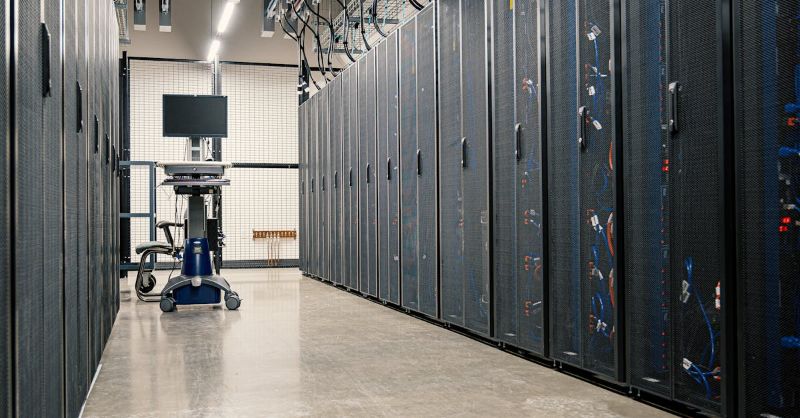
Name the owner, the GPU pool, and the abort rule before you start the engine. If two teams share cards, pin a serving quota so a training job cannot evict the replica you just certified.
What must be ready before you deploy LLM inference
Do not start the serving engine until these five items exist as written artifacts, not chat messages. Missing one is how a “temporary” endpoint becomes the production path with no rollback.
- Write the product SLO as TTFT, inter-token latency, error rate, and max concurrent sessions. Average tokens per second is not an SLO.
- Inventory GPU memory, node count, and interconnect type for the serving pool only. Training leftover cards are not a plan.
- Name the data boundary: prompts stay in this pool, or they may leave. That sentence drives logging, traces, and tenancy.
- Create a serving namespace and identity separate from training jobs, with its own quota and pull credentials for the artifact registry.
- Keep the previous artifact warm and name the person who can revert the gateway weight without a cluster rebuild.
Serving Decision Matrix: Enterprise LLM Inference Infrastructure
| Serving Infrastructure Model | Compute & Memory Contention | P99 Tail Latency Predictability | Multi-GPU Tensor Parallelism Support | Optimal Enterprise Workload Fit |
|---|---|---|---|---|
| Shared Multi-Tenant Model APIs | Multi-tenant shared workers; opaque resource pooling | Severe tail latency jitter during peak concurrency spikes | Black-box; no control over model parallelism or KV cache sizing | Low-volume prototyping or asynchronous background tasks |
| Virtualized Cloud GPU Instances | Hypervisor vGPU slices subject to CPU/PCIe interrupts | Moderate jitter caused by neighboring tenant network bursts | High inter-node latency limits multi-GPU tensor scaling (TP=4/TP=8) | General internal apps with modest throughput requirements |
| OneSource Dedicated Private GPUs | Dedicated bare-metal hardware with 100% VRAM & compute reservation | Deterministic microsecond P99 response times under peak load | Dedicated RoCE v2 RDMA fabric enables low-latency TP=4/TP=8 scaling | Mission-critical, low-latency, regulated enterprise production serving |
If prompts cannot share tenancy with research jobs, run this pool as private AI infrastructure. The deploy steps do not change. The blast radius does.
How to freeze the model version and quantization
Production serving starts when the checkpoint stops moving. A floating “latest” tag makes every incident un-reproducible. Freeze first, then tune the engine around that object.
- Pin the artifact by digest or immutable tag in the serving manifest. Record the training or distillation job that produced it.
- Set max context on the server and reject over-limit prompts at the gateway. Do not rely on the model card’s advertised window.
- Choose precision or quantization only after a held-out eval on your production-like prompts, not on a public leaderboard.
- Ship the tokenizer and chat template with the weights. A mismatched special token is a silent quality regression.
- Store license, attribution, and eval scores next to the digest so a rollback has a paper trail, not folklore.
If quantization fails the eval, serve the denser checkpoint and cut concurrency, or split traffic. Do not “try it in canary to see.” Canary is for a candidate that already passed offline gates.
How to set the serving stack, batching, and KV cache
Pick one production engine and pin its version. Switching engines mid-incident is a second deploy. Configure the engine from the memory budget you already inventoried, not from demo defaults.
- Set max batch size and max concurrent sequences from residual memory after weights load. A limit you did not write will be discovered as an OOM.
- Size the KV-cache pool and set an eviction or reject policy. A full cache should fail admission cleanly, not stall every in-flight decode.
- Turn on continuous batching only after you can see queue depth and batch occupancy. Blind batching hides TTFT regressions.
- Enable prefix or prompt cache when your traffic actually shares prefixes. A cache that never hits is extra memory you could have given to concurrency.
- Pin tensor-parallel or pipeline-parallel width in the manifest. Changing shard count is a new topology, not a config tweak.
If a model spans nodes, the interconnect is part of serving. Decode jitter often appears first as fabric congestion, not as a CUDA error. Keep training collectives off the serving rails when you have a latency SLO, and size the fabric with the pool. High-performance AI networking is the layer to review when multi-node shards are in the manifest.
How to route traffic, autoscale, and plan interconnect
Applications must not pick model replicas. A gateway or router owns weights, session affinity, and abort. If product code samples an endpoint, you will split a conversation and lose the canary.
- Hash session or user key to one version so a dialogue does not jump mid-thread during a canary.
- Autoscale on queue depth, in-flight requests, and KV-cache occupancy. GPU utilization stays pegged on a busy batcher and will scale late.
- Set a minimum replica count for interactive paths. Scale-to-zero is a batch pattern unless a human can wait for weight load.
- Ship the new digest to one canary replica or a small traffic share. Abort on TTFT, inter-token, error-rate, or quality-gate regression, then promote.
- Cap scale-out at the GPUs already reserved for serving. An autoscaler cannot mint cards that were never in the pool.
When several teams share the cluster, the serving cap must be a quota, not a hallway agreement. OnePlus, OneSource Cloud’s AI orchestration platform, is where that serving quota can sit so a training sweep cannot evict the certified replica. If you use another orchestrator, write the same pin: serving pool, max cards, deny steal.
Which observability and acceptance checks go live
Split prefill and decode in the metrics before you take traffic. A single end-to-end latency average will hide a long-context prefill problem behind a healthy decode, or the reverse. Export both, plus token counts, batch size, cache hit rate, admission rejects, and a trace id from gateway to engine.
Page humans on admission rejects, KV-cache saturation, replica not-ready, and SLO burn, not on GPU busy percent. GPU busy percent is an efficiency review, not an incident signal. Ready means weights are loaded and a probe request has completed, not that the process exists.
| Acceptance check | What must be true |
|---|---|
| Golden prompts | Held-out prompts pass the same quality and safety gates you used offline, on the production engine version |
| Mix load | A replay of production prompt and output lengths meets p95 TTFT and p95 inter-token, recorded separately |
| Replica kill | Killing one replica drains in-flight work; the gateway stops sending; remaining replicas hold the SLO |
| Canary abort | A forced quality or latency fail returns all traffic to the previous digest without a cluster rebuild |
| Version evidence | Digest, engine version, max context, and quant tag appear in logs or headers for every response |
Do not call the endpoint production until the abort drill has been run once. A canary you have never failed is a hope. Keep the previous replica warm through the soak so rollback is a route change.
FAQ
What counts as production LLM inference serving?
An endpoint is in production when a named artifact, an enforced max context, split latency SLOs, and a tested rollback are all live. A shared notebook, an unbound “latest” tag, or a single average latency target is a lab. Production also means an owner who can abort traffic without waiting for a platform ticket. If any of those are missing, keep the URL off customer paths.
Should we quantize before the first production deploy?
Only if the quantized artifact already passed your held-out eval and a mix load test on the same engine you will serve. First deploys often ship the denser checkpoint, then quantize once traces show memory, not quality, is the constraint. Quantizing to “save GPU” before you have a production mix creates a canary that fails for reasons you cannot attribute.
Which inference metrics should page a human at night?
Page on SLO burn for TTFT or inter-token, admission rejects, KV-cache saturation, and replicas that are running but not ready. Do not page on GPU utilization alone. Add a quality-gate drop if you already compute one online. Include the digest in the alert so the on-call does not debug the previous version by accident.
Does a larger batch always lower serving cost?
No. Larger batches can raise TTFT and can evict cache pages that other sessions need. Cost falls only when extra tokens complete without breaking the SLO or causing retries. Measure cost per successful task at the batch size that holds p95, not at the batch size that maximizes tokens per second on an empty queue.
When should prefill and decode run on different pools?
Split when long-context or RAG traffic and short interactive chat fight for the same replica. If p95 TTFT rises with prompt length while inter-token stays flat, prefill is starving the door. If sessions stay alive and HBM is full, decode cache is the constraint. Separate pools, or a hard admission policy, beat a single replica that averages two bad shapes.
Do serving logs create a data-residency problem?
They can. Prompts, completions, and retrieved chunks in traces are data, even when the GPU pool is private. Set retention, redaction, and export paths before the first canary. If the data boundary said prompts stay in the pool, do not ship full-text traces to a SaaS APM in another region. Log digests and token counts first; lift full text only with a written exception.
Why deploy latency-sensitive LLM inference on OneSource private GPUs?
OneSource private GPU infrastructure delivers 100% dedicated bare-metal compute and VRAM, completely isolated from cross-tenant contention. This eliminates hypervisor scheduling jitter and shared-network packet collisions, ensuring deterministic P99 tail latency, sustained token throughput, and optimal tensor parallel scaling for production enterprise LLM serving.
Summary
Deploy LLM inference by freezing the digest, enforcing max context, configuring batching and KV cache from a memory budget, routing through a canary that can abort, and releasing only after split prefill/decode checks pass. Pin the serving quota so training cannot steal the pool. If that pool must stay exclusive, run the sequence on private AI infrastructure rather than a shared research cluster.
Related Articles
Recommended Reading
-
How Paged Attention Manages Inference KV Cache
-
Google Cloud GPU Pricing: What Enterprise AI Teams Should Evaluate Before Provisioning
-
Paperspace Pricing 2026: GPU Cost Breakdown
-
AI Infrastructure Costs: Controlling Enterprise GPU Spending
-
CoreWeave Enterprise GPU Cloud: Evaluation for AI Teams
-
CoreWeave vs Lambda Labs vs OneSource Cloud: GPU Provider Decision Guide
-
AWS GPU Pricing: Instance Types, Cost Structure & Alternatives Guide
-
U.S. Data Residency in the Cloud: Requirements, Regulations & Compliance Guide
latest articles
-
Private GPU Cloud Failover Without Breaking Data Isolation
-
GPU Telemetry Release Correlation to Diagnose Model Regress
-
Managed AI Infrastructure vs Self-Managed Clusters: Real TCO
-
Multi-Tenant GPU Governance for Healthcare and Clinical AI
-
Data Center Power Planning for AI Workloads and High Density
-
AI Network Latency Component Map: Where Microseconds Vanish
-
AI Model Runtime Portability: How to Prevent Cloud Lock-In
-
H100 Dedicated GPU Cloud Planning: Sizing, Power, and Fabric
-
Industrial AI GPU Infrastructure for Factory Vision Systems
-
Single-Tenant GPU Cloud vs Multi-Tenant GPU Cloud Security