
Public Cloud Alternatives for Enterprise AI: Four Models
Public cloud alternatives are deployment models that give enterprises more control over AI compute, data location, capacity, and operating costs than shared hyperscale services.
The main options are managed private AI infrastructure, colocation-based GPU clusters, on-premises systems, and hybrid capacity that combines dedicated resources with burst access. Each model assigns infrastructure control and operating responsibility differently.
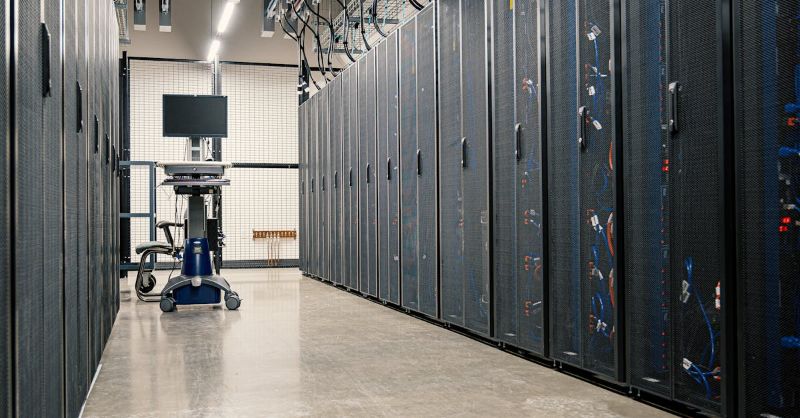
No model removes every trade-off. Workload duration, data sensitivity, GPU utilization, facility readiness, and engineering capacity determine whether an alternative creates durable value or merely shifts complexity.
Why Enterprises Look Beyond Centralized Cloud Providers
Centralized public cloud works well when teams need rapid experimentation, broad service access, or temporary capacity. Friction appears when AI programs become continuous.
Reserved capacity may still depend on regional availability. Variable usage complicates forecasting, while sensitive datasets may require clearer control over data location and administration.
The result is often an operational mismatch. A short proof of concept becomes a persistent training or inference service, while its infrastructure remains optimized for temporary consumption.
Before changing the deployment model, evaluate utilization stability, egress patterns, quota constraints, audit requirements, and the effort spent coordinating cloud services.
Four Centralized Cloud Alternatives at a Glance
| Deployment model | Control level | Operational ownership | Typical fit |
|---|---|---|---|
| Managed private AI infrastructure | High, with dedicated resources | Shared with a specialist operator | Sustained or regulated enterprise workloads |
| Colocation GPU cluster | High at the hardware and data-center layer | Enterprise or managed service team | Organizations that own hardware but not facilities |
| On-premises AI cluster | Highest physical control | Primarily internal | Sites with suitable power, cooling, security, and staff |
| Hybrid dedicated and burst capacity | High for baseline workloads, variable for bursts | Split across environments | Demand with a stable baseline and occasional peaks |
Managed Private AI Infrastructure
Managed private AI infrastructure assigns GPUs, storage, networking, and access controls to one organization while an external team handles some or all lifecycle operations. It is useful when the business wants dedicated capacity and clearer data control but does not want infrastructure work to consume its AI engineering team.
The model should be evaluated as an operating service, not only a hardware purchase. Monitoring, change control, incident response, capacity planning, and validation determine whether it stays dependable.
OneSource Cloud combines private AI infrastructure design and deployment with ongoing operations for this use case.
Colocation-Based GPU Clusters
Colocation places enterprise-owned or dedicated GPU systems in a third-party data center. The facility supplies power, cooling, physical security, and network connectivity, while the enterprise retains control over the compute stack. This can remove the need to retrofit an office or campus facility for dense GPU equipment.
The operational boundary must be explicit. Remote-hands service does not automatically include GPU driver management, fabric troubleshooting, workload scheduling, or storage tuning.
Map responsibilities from the rack through the orchestration layer, then decide whether internal staff or a managed AI infrastructure partner owns each layer.
On-Premises AI Infrastructure
On-premises deployment provides direct physical control and may simplify policies that require workloads to remain within a corporate site. It is a strong fit only when the site can sustain the electrical load, cooling density, network paths, fire protection, security controls, and maintenance procedures that production GPU clusters require.
The hidden risk is treating an AI cluster like ordinary server capacity. GPU nodes can expose facility limits that standard enterprise racks never reached.
Before procurement, model peak power, redundancy, heat rejection, floor loading, maintenance access, and expansion capacity. Otherwise, systems may arrive before the site can operate them reliably.
Hybrid Dedicated and Burst Capacity
A hybrid model places stable workloads on dedicated infrastructure and uses public or specialist cloud capacity for unusual peaks, regional needs, or temporary experiments. This can preserve flexibility without keeping the full production estate on variable consumption pricing.
Portability is the main design challenge. Container images, model registries, data synchronization, identity policies, network connectivity, and observability must work across environments.
Define which workloads may burst, what data may move, and how cost and performance are measured. Hybrid works when those rules are engineered before a capacity shortage.
How to Match the Deployment Model to the Workload
Start with the workload rather than the preferred vendor. Long training jobs, steady inference, sensitive RAG pipelines, and multi-team environments create different infrastructure requirements.
Document baseline and peak GPU demand, storage throughput, east-west traffic, recovery objectives, and acceptable queue time for each workload family.
Then assign control requirements. Data residency may determine where storage and backups live. Compliance may require auditable administrator access.
Financial planning may favor committed capacity, while a small platform team may require a managed service. These requirements reveal the credible operating model.
Architecture Capabilities That Prevent a Change of Venue from Becoming a New Silo
Moving away from centralized cloud does not automatically create a usable AI platform. Enterprises still need workload scheduling, quotas, developer environments, monitoring, model deployment paths, and policy enforcement. Without these capabilities, dedicated GPUs can become an expensive pool of manually assigned servers.
OneSource Cloud's OnePlus AI orchestration platform unifies cluster visibility, workload orchestration, usage metrics, and developer access.
High-throughput storage and AI networking architecture also matter because data and inter-node communication must keep dedicated GPUs productive.
Common Migration Risks and How to Control Them
| Risk | Why it occurs | Control |
|---|---|---|
| Underused dedicated capacity | Procurement follows peak demand without a utilization model | Size the baseline first and preserve a burst option |
| Operational gaps | Facility service is mistaken for full AI operations | Create a responsibility matrix for every layer |
| Data migration delays | Storage volume and transfer windows are estimated late | Inventory datasets, dependencies, and cutover paths early |
| Platform fragmentation | Teams receive hardware without shared orchestration | Standardize scheduling, identity, monitoring, and workspaces |
| Facility constraints | Power and cooling are assessed after hardware selection | Complete a site and capacity assessment before purchase |
FAQ
Which centralized cloud alternative fits an enterprise AI workload?
No single model fits every workload. Managed private AI suits sustained or regulated demand. Colocation suits hardware owners without a suitable facility. On-premises suits capable sites and teams. Hybrid suits stable baselines with occasional peaks.
Is private AI infrastructure cheaper than public cloud?
It can produce more predictable costs for consistently utilized workloads. Compare hardware, facilities, network, storage, staffing, software, support, and refresh cycles. Public cloud may remain economical for short experiments or irregular demand.
Can an enterprise keep public cloud while adopting private AI infrastructure?
Yes. Enterprises can keep public cloud for experiments, geographic reach, or bursts while moving stable and sensitive workloads to dedicated infrastructure. Define rules for identity, data movement, model artifacts, observability, and cost allocation across both environments.
What should be assessed before deploying GPUs in colocation?
Assess rack power density, cooling, connectivity, physical access, remote hands, spare parts, out-of-band management, compliance, and expansion capacity. Define who manages firmware, drivers, storage, fabric, schedulers, monitoring, and incidents.
How long does migration away from centralized cloud take?
Timing depends on hardware availability, facility readiness, data volume, dependencies, security review, and validation. A phased migration proves one representative workload before moving services by dependency group, reducing cutover risk.
Summary
The four practical alternatives are managed private AI, colocation-based GPU clusters, on-premises systems, and hybrid dedicated capacity. Match the model to workload duration, data control, facility readiness, cost structure, and operational capability. Design the operating model and orchestration layer together with the hardware location.
Next step: Explore how OneSource Cloud designs, deploys, and operates private AI infrastructure →
Related Articles
Recommended Reading
-
How Paged Attention Manages Inference KV Cache
-
Google Cloud GPU Pricing: What Enterprise AI Teams Should Evaluate Before Provisioning
-
Paperspace Pricing 2026: GPU Cost Breakdown
-
AI Infrastructure Costs: Controlling Enterprise GPU Spending
-
CoreWeave Enterprise GPU Cloud: Evaluation for AI Teams
-
CoreWeave vs Lambda Labs vs OneSource Cloud: GPU Provider Decision Guide
-
AWS GPU Pricing: Instance Types, Cost Structure & Alternatives Guide
-
U.S. Data Residency in the Cloud: Requirements, Regulations & Compliance Guide
latest articles
-
Private GPU Cloud Failover Without Breaking Data Isolation
-
GPU Telemetry Release Correlation to Diagnose Model Regress
-
Managed AI Infrastructure vs Self-Managed Clusters: Real TCO
-
Multi-Tenant GPU Governance for Healthcare and Clinical AI
-
Data Center Power Planning for AI Workloads and High Density
-
AI Network Latency Component Map: Where Microseconds Vanish
-
AI Model Runtime Portability: How to Prevent Cloud Lock-In
-
H100 Dedicated GPU Cloud Planning: Sizing, Power, and Fabric
-
Industrial AI GPU Infrastructure for Factory Vision Systems
-
Single-Tenant GPU Cloud vs Multi-Tenant GPU Cloud Security