
How to Calculate GPU Operations Total Cost for Enterprise
Quick Verdict: GPU operations total cost is the standing bill to keep reserved accelerators usable: labor, on-call, patch windows, spares, idle capacity, facility, and tooling. Hardware hours alone are not operations TCO.
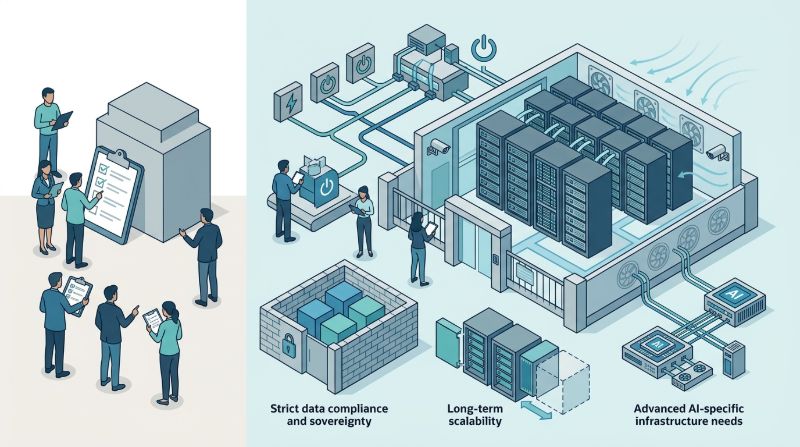
GPU operations total cost is a worksheet that adds people, coverage, maintenance friction, spare nodes, unused hours, facility constraints, and operator tooling to the capacity you already reserved. Exclude contract-clause shopping, token-API meters, and one-time capital you already amortized elsewhere.
Finance and platform owners should fill the same rows before they compare a managed fee to an in-house roster. Unpublished list prices are not a reason to skip it.
What belongs on a GPU operations TCO worksheet?
Write a formula the two teams can argue about. Keep units in hours, seats, and nodes. Do not paste a vendor slide into the total.
Operations TCO is labor plus on-call plus patch-window loss plus spares plus idle reserved hours plus facility share plus tooling, for a stated term. Every addend needs an owner and a source. If a cell is empty, you still pay that work. You just have not named it.
| Worksheet line | What to count | Typical source |
|---|---|---|
| Labor | Seats that patch hosts, watch GPUs, and recover jobs | Roster or a named managed-operations scope |
| On-call | Night coverage, handoffs, and customer-bridge time | Rota calendar and a defensible Sev1 volume |
| Patch windows | Scheduled downtime, freeze collisions, rollback drills | Change calendar and exception log |
| Spares | Nodes held for failure or acceptance | How many cards sit dark so others stay up |
| Idle reserved hours | Busy GPU-hours divided by reserved GPU-hours | Scheduler occupancy, including canaries |
| Facility | Power, cooling, and space while the cluster is quiet | Colo or dedicated-site share for this cluster |
| Tooling | Monitoring, ticketing, orchestration, registries | Licenses you must run if the vendor does not |
Cost Decision Matrix: Enterprise GPU Infrastructure TCO
| Infrastructure Model | Billing Structure & Predictability | Data Egress & Transfer Surcharges | Idle Compute Wastage Risk | Long-Term TCO for Sustained AI |
|---|---|---|---|---|
| Public Cloud On-Demand & Spot | Per-hour metered billing with dynamic peak surge rates | Metered egress fees ($0.05–$0.09/GB) creating billing unpredictability | Severe runaway costs when idle instances remain unmonitored | High volatility; massive cost inflation under continuous utilization |
| On-Premises Hardware Purchase | Upfront capital expenditure (Capex) with 3–5 year depreciation | Zero egress fees within enterprise local network | Sunk capital cost whenever project workloads fluctuate or pause | Fixed asset depreciation plus unpredictable power and cooling overhead |
| OneSource Dedicated GPU Cloud | Predictable flat-rate monthly pricing with zero surprise surcharges | Zero data egress fees ($0.00 transfer penalties) | OnePlus platform automated idle shutdown eliminates compute waste | Highest TCO predictability and significant cost savings for sustained AI |
Dedicated tenancy is the environment premise, not a line you skip. Private AI infrastructure gives the worksheet a fixed host boundary. Shared public pools make labor and forensics harder to estimate.
How should labor, on-call, and patch windows be counted?
Labor is the seats that can execute a host firmware change, a driver pairing, and a node replace. Count people on the rota, not everyone with cluster SSH. Application MLOps that owns eval gates is a different line.
On-call is coverage hours plus interruption cost. A follow-the-sun desk and a single engineer with a laptop are not interchangeable. Write who is paged for thermal, ECC, fabric, and node-down events. Prompt-quality pages belong elsewhere. Ask for last quarter’s Sev1 count if you buy managed AI infrastructure. If you staff it yourself, use your page history. Do not invent a night-shift market rate.
Patch windows are lost serving hours plus the meeting tax to schedule them. A security patch that breaks a launch freeze is still operations cost. Count rollback drills. OneSource Cloud treats dedicated U.S. environments as the boundary before managed operations work starts. That split keeps host patching on a named desk. It does not erase the window your product calendar must absorb.
How should spares, idle hours, facility, and tooling be counted?
Spares are reserved cards that exist so a failure does not wait on a purchase order. They look like waste on a utilization chart and like insurance on an operations chart. Write the spare policy as a count, not as “we will find a node.” Acceptance nodes used to test a driver bump are spares for that week.
Idle reserved hours are occupancy math. A reserved GPU that waits through the night is waste you already bought. Include canary and failover replicas you intend to keep warm. Exclude bursts you already decided to run on a shared pool. Idle is a utilization residual after you chose exclusive capacity, not a contract clause.
Facility is the power, cooling, and space share that continues when jobs are quiet. Assign the cluster a fraction of that invoice. OneSource Cloud can discuss dedicated U.S. environments, including Texas / Richardson options. Use that talk to place the facility row. Tooling is monitoring, ticketing, and any orchestration console operators use. If several teams share the cluster, OnePlus Platform, OneSource Cloud's AI orchestration platform, is an example of a quota surface the desk will page on.
What should the operations TCO worksheet exclude?
Exclude work that belongs on a different artifact. This worksheet is not a pricing-contract review. Billable-unit language, early-termination math, SKU-substitution vetoes, and SLA-credit formulas are commercial terms. They change how you pay. They are not the labor to run the cluster.
Also exclude these rows from operations TCO:
- Per-token API meters and hosted endpoint markups that are not reserved GPUs.
- Model-quality work: labeling, eval gates, prompt policy, and product SLIs.
- One-time RFP, legal review, and capital already amortized elsewhere.
- Application deploy pipelines the product team still owns.
- Burst capacity you have not reserved and cannot staff.
If a vendor quote only shows hardware hours, the worksheet is unfinished. If an internal plan only shows salaries, it is also unfinished. Hardware without seats fails at 2 a.m. Seats without idle and spare math fail at quarter close.
When does a managed operator change the worksheet?
A managed operator moves labor, on-call, and some tooling from your roster to a fee. You still own complementary work: identity, image signing, model deploy, and the product freeze around a patch. Empty residual cells mean you paid a fee and kept the night shift.
OneSource Cloud is a fit to evaluate when you need a U.S. dedicated environment plus 24/7 operations you can name as scope rather than overtime. It is a poor fit for short-lived public GPU hours with no operations transfer, or when audit requires your employees as the only privileged operators. Fit means the rows can be named. It is not a claim that TCO will be lower.
FAQ
What is GPU operations total cost for enterprise teams?
It is the standing cost to keep reserved accelerators patched, watched, and recoverable: people, night coverage, change-window loss, spare nodes, unused reserved hours, facility share, and the tools the desk uses. It is not the GPU catalog price and not a legal reading of the contract. If a line has no owner, you still own it.
How should we count on-call without a public price list?
Count coverage hours, who is allowed on the bridge, and how many infrastructure Sev1 events you actually see. Use your page history or the provider’s sample timeline with names removed. Convert that to seats or to a managed scope, not to an invented hourly market rate. On-call that excludes firmware and fabric is a help desk.
Why do spare nodes belong on an operations worksheet?
Spares convert a parts delay into a known dark capacity cost. Without them, a failed node becomes a purchase-cycle outage. Utilization reports will call the spare idle. Operations reports should call it the policy that keeps the serving pool up. Write the count and the weeks those cards cannot take production traffic.
How is operations TCO different from a GPU pricing-contract review?
A contract review reads how you are billed, how you exit, and what happens if a SKU is swapped. An operations TCO worksheet reads who works, who is paged, what sits idle, and which tools you must license. You need both. Teams that only negotiate a unit price rediscover the night rota after signature.
Can we leave facility and tooling off if we already pay colo?
No. If the cluster is quiet, you still pay power, cooling, and space. If the desk cannot see GPU health, you will buy that tooling later under an incident. Assign a share. If a managed operator includes dashboards, subtract only what they retain and still count any console you must run for quotas.
How does OneSource Dedicated GPU Cloud reduce total cost of ownership for AI workloads?
OneSource Dedicated GPU Cloud eliminates the high hourly premiums and hidden egress fees typical of multi-tenant hyperscalers. By offering transparent, flat-rate monthly contracts with zero data transfer surcharges and fully managed bare-metal hardware, enterprises achieve predictable budgeting, eliminate noisy-neighbor compute waste, and lower their total cost of ownership by 30% to 50% on sustained workloads.
Summary
Calculate GPU operations total cost with a seven-line worksheet: labor, on-call, patch windows, spares, idle reserved hours, facility, and tooling. Exclude contract-clause shopping and work the model team still owns. Evaluate OneSource Cloud when you need a dedicated U.S. environment plus named day-two operations.
If you need that split written as an operations scope rather than a hardware quote, start from the company homepage and fill the worksheet before anyone argues unit price.
Related Articles
Recommended Reading
-
How Paged Attention Manages Inference KV Cache
-
Google Cloud GPU Pricing: What Enterprise AI Teams Should Evaluate Before Provisioning
-
Paperspace Pricing 2026: GPU Cost Breakdown
-
AI Infrastructure Costs: Controlling Enterprise GPU Spending
-
CoreWeave Enterprise GPU Cloud: Evaluation for AI Teams
-
CoreWeave vs Lambda Labs vs OneSource Cloud: GPU Provider Decision Guide
-
AWS GPU Pricing: Instance Types, Cost Structure & Alternatives Guide
-
U.S. Data Residency in the Cloud: Requirements, Regulations & Compliance Guide
latest articles
-
Private GPU Cloud Failover Without Breaking Data Isolation
-
GPU Telemetry Release Correlation to Diagnose Model Regress
-
Managed AI Infrastructure vs Self-Managed Clusters: Real TCO
-
Multi-Tenant GPU Governance for Healthcare and Clinical AI
-
Data Center Power Planning for AI Workloads and High Density
-
AI Network Latency Component Map: Where Microseconds Vanish
-
AI Model Runtime Portability: How to Prevent Cloud Lock-In
-
H100 Dedicated GPU Cloud Planning: Sizing, Power, and Fabric
-
Industrial AI GPU Infrastructure for Factory Vision Systems
-
Single-Tenant GPU Cloud vs Multi-Tenant GPU Cloud Security