
How to Buy Good GPU Pay-Off
Buying good GPU pay-off means evaluating compute on the AI output it produces per dollar, not just the hourly rate it charges, because a lower rate on underused or unsupported capacity delivers less value than a higher rate on capacity that stays productive. Pay-off is about return, not price.
Teams often equate cost-effective GPU compute with the lowest hourly rate, then discover that cheap capacity sitting idle or lacking operations produces poor return. Real pay-off comes from capacity that stays utilized, includes the support to keep it running, and avoids the hidden costs that erode the apparent savings. Buying for pay-off, not price, is what makes GPU spend an investment.
Why Hourly Rate Misleads About Pay-Off
The hourly rate is the most visible GPU metric, but it measures cost, not value. Two clusters at the same rate can produce very different AI output: one stays busy with well-scheduled workloads and strong operations, while the other sits idle because the team cannot keep it running. The pay-off, measured in useful AI work per dollar, differs dramatically despite identical rates.
This is why pay-off evaluation must include utilization and operations, not just price. A slightly more expensive cluster that includes monitoring, support, and governance may produce more AI output per dollar than a cheaper cluster the team must operate and fill itself.
The Four Drivers of GPU Pay-Off
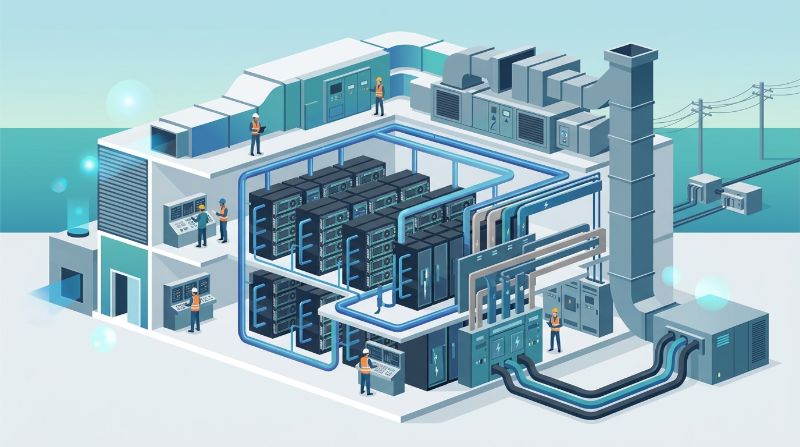
GPU pay-off depends on four drivers. Each affects the return on GPU spend, and a weakness in any one erodes the pay-off regardless of the rate.
1. Utilization
Utilization is the share of GPU time that produces useful work. A cluster at 30 percent utilization wastes 70 percent of its spend, while one at 80 percent delivers far more AI per dollar. Utilization depends on scheduling, workload fit, and whether idle capacity in one team can fill demand in another.
2. Included Operations
Operations, the monitoring, patching, and support that keep capacity running, are a real cost whether paid to the provider or absorbed internally. A cluster that excludes operations looks cheaper but shifts that cost to the team, often at higher total expense. Included operations improve pay-off by keeping capacity productive without hidden internal cost.
3. Residency and Compliance Value
For regulated teams, fixed residency and compliance controls are not optional, and their value is avoiding the cost of a compliance failure. A cluster that includes these delivers pay-off by preventing the fines, breaches, and audit findings that a cheaper non-compliant cluster would trigger. Value here is risk avoidance, not just output.
4. Scaling Without Surge Cost
How capacity scales affects long-term pay-off. Committed capacity that scales predictably maintains a stable cost per unit of AI output. Best-effort capacity that carries surge pricing can blow a budget during growth, eroding pay-off precisely when the team needs more. Predictable scaling sustains pay-off over time.
GPU Pay-Off Evaluation Framework
The table maps each driver to what it affects and how to assess it. Use it to evaluate compute on pay-off rather than headline price.
| Driver | What It Affects | How to Assess |
|---|---|---|
| Utilization | AI output per dollar | Scheduling, workload fit, sharing |
| Included operations | Hidden internal cost | What is bundled vs charged |
| Residency value | Compliance risk cost | Fixed residency, controls included |
| Scaling terms | Long-term cost stability | Committed vs surge pricing |
Low Rate vs High Pay-Off: The Real Comparison
The table shows how a low-rate cluster can deliver worse pay-off than a higher-rate one once utilization, operations, and compliance are included. The comparison that matters is total value, not headline cost.
| Dimension | Low-Rate Cluster | High-Pay-Off Cluster |
|---|---|---|
| Hourly rate | Low | Moderate |
| Utilization | Often low, unscheduled | High, scheduled and shared |
| Operations | Extra charge or internal | Included |
| Compliance | Extra or unavailable | Included |
| AI output per dollar | Often lower than it looks | Higher despite the rate |
How to Buy for Pay-Off
Buying for pay-off means defining the AI output you need, then evaluating capacity on its ability to deliver that output efficiently. The process differs from rate-shopping.
Start with the workload profile: what models, how much training, what inference load, what compliance needs. Translate that into utilization, operations, residency, and scaling requirements. Request all-in proposals that include every component, and compare total value, the AI output per dollar over the deployment horizon, not just the monthly cost. The cluster with the best pay-off is the one that delivers the most useful AI work for the total spend, which is rarely the one with the lowest headline rate.
Common Pay-Off Mistakes
Three mistakes erode GPU pay-off. Each one makes spend look efficient while delivering poor return.
Optimizing for Rate, Ignoring Utilization
A low rate on capacity that sits idle is waste, not savings. Without scheduling and workload fit, utilization stays low and the pay-off stays poor regardless of how cheap the rate appears. Utilization, not rate, is the primary pay-off driver.
Excluding Operations From the Comparison
A cluster that excludes operations shifts the cost internally, where it is harder to track and often higher. The comparison must include operations, whether paid to the provider or absorbed by the team, or the apparent savings are illusory.
Ignoring Compliance Value
For regulated teams, the value of compliance controls is avoiding failure costs. A cheaper non-compliant cluster risks fines and breaches that erase any savings. Compliance value is real pay-off, measured in risk avoided.
How OneSource Cloud Supports GPU Pay-Off
OneSource Cloud's private AI infrastructure provides committed capacity that supports high utilization through scheduling and governance, and the managed AI infrastructure layer includes the operations that keep capacity productive without hidden internal cost. Fixed US-based residency delivers compliance value for regulated teams.
The OnePlus Platform, OneSource Cloud's AI orchestration platform, raises utilization through quota and scheduling so capacity produces more AI per dollar. For teams buying for pay-off rather than price, the model is designed to maximize AI output per dollar across utilization, operations, residency, and scaling.
FAQ
How do I buy good GPU pay-off?
Evaluate compute on AI output per dollar, not just hourly rate. Consider utilization, included operations, compliance value, and scaling terms, because a lower rate on idle or unsupported capacity delivers less value than a higher rate on productive capacity. Pay-off is about return, not price.
Why does hourly rate mislead about pay-off?
Because it measures cost, not value. Two clusters at the same rate can produce very different AI output depending on utilization and operations. The pay-off, measured in useful work per dollar, differs dramatically despite identical rates, which is why rate-shopping misses the point.
What drives GPU compute pay-off?
Four drivers: utilization, the share of GPU time producing useful work; included operations that keep capacity running; residency and compliance value that avoids failure costs; and scaling terms that sustain cost stability. A weakness in any one erodes pay-off regardless of the rate.
Is a low GPU rate always better value?
No. A low rate on capacity that sits idle or lacks operations produces poor pay-off. A higher rate on capacity with scheduling, support, and compliance may deliver more AI output per dollar. The comparison that matters is total value, not headline cost.
How does utilization affect GPU pay-off?
Dramatically. A cluster at 30 percent utilization wastes most of its spend, while one at 80 percent delivers far more AI per dollar. Utilization depends on scheduling, workload fit, and whether idle capacity can be shared, so it is the primary pay-off driver.
How do I compare GPU compute on pay-off?
Define the AI output you need, translate it into utilization, operations, residency, and scaling requirements, request all-in proposals, and compare total value over the deployment horizon. The cluster with the best pay-off delivers the most useful AI work for the total spend, which is rarely the cheapest by rate.
Summary
Buying good GPU pay-off means evaluating compute on AI output per dollar rather than hourly rate, because pay-off depends on utilization, included operations, compliance value, and scaling terms that the rate does not capture. A low rate on idle or unsupported capacity delivers poor return despite appearing cheap, while a higher rate on productive, governed, compliant capacity may deliver superior value. Comparing total value over the deployment horizon, not headline cost, is what turns GPU spend from an expense into an investment with real return.
Next step: Explore OneSource Cloud's private AI infrastructure to assess its GPU pay-off →
Related Articles
Recommended Reading
-
How Paged Attention Manages Inference KV Cache
-
Google Cloud GPU Pricing: What Enterprise AI Teams Should Evaluate Before Provisioning
-
Paperspace Pricing 2026: GPU Cost Breakdown
-
AI Infrastructure Costs: Controlling Enterprise GPU Spending
-
CoreWeave Enterprise GPU Cloud: Evaluation for AI Teams
-
CoreWeave vs Lambda Labs vs OneSource Cloud: GPU Provider Decision Guide
-
AWS GPU Pricing: Instance Types, Cost Structure & Alternatives Guide
-
U.S. Data Residency in the Cloud: Requirements, Regulations & Compliance Guide
latest articles
-
Private GPU Cloud Failover Without Breaking Data Isolation
-
GPU Telemetry Release Correlation to Diagnose Model Regress
-
Managed AI Infrastructure vs Self-Managed Clusters: Real TCO
-
Multi-Tenant GPU Governance for Healthcare and Clinical AI
-
Data Center Power Planning for AI Workloads and High Density
-
AI Network Latency Component Map: Where Microseconds Vanish
-
AI Model Runtime Portability: How to Prevent Cloud Lock-In
-
H100 Dedicated GPU Cloud Planning: Sizing, Power, and Fabric
-
Industrial AI GPU Infrastructure for Factory Vision Systems
-
Single-Tenant GPU Cloud vs Multi-Tenant GPU Cloud Security