
On-Premises AI Infrastructure vs Colocation: How to Choose
On-premises AI infrastructure gives enterprises maximum physical control, but it also requires power, cooling, networking, security, and operations capabilities that many facilities were not designed to support. Colocation places dedicated GPU infrastructure in a specialized data center while preserving more control than public cloud. For many enterprises, the best fit is a dedicated, managed private AI infrastructure model that combines controlled GPU capacity, U.S.-based data residency, and lifecycle operations support.
What Is On-Premises AI Infrastructure?
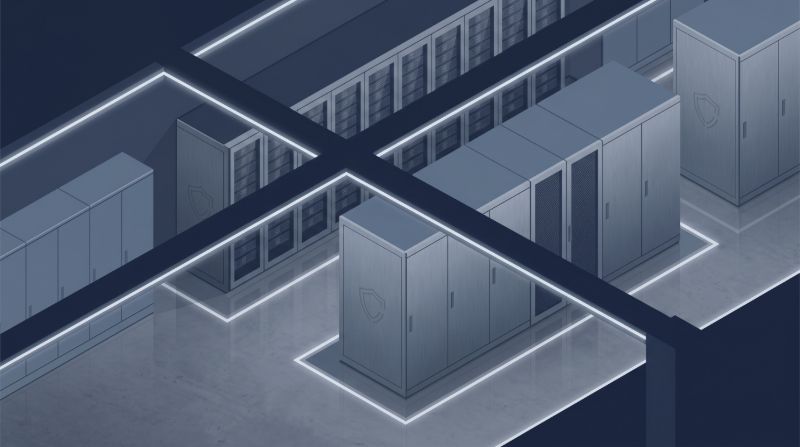
On-premises AI infrastructure refers to GPU servers, storage, networking, orchestration software, and security controls deployed inside an enterprise-owned or enterprise-operated facility.
This model is most common when organizations have strict facility control requirements, existing data center investments, or workloads that must remain inside a specific physical environment. It can support private LLM deployment, model training, inference serving, RAG systems, and secure AI development environments.
The tradeoff is operational ownership. The enterprise is responsible for facility readiness, power capacity, cooling, hardware procurement, cluster design, monitoring, upgrades, failure response, and performance tuning. For traditional IT workloads, that may be manageable. For dense GPU clusters, the requirements are often materially different.
What Is AI Colocation?
AI colocation means placing enterprise-owned or dedicated AI infrastructure inside a third-party data center designed to support high-density compute, resilient power, cooling, network connectivity, and physical security.
Colocation can give enterprises more control than renting shared public cloud resources while avoiding the burden of retrofitting a corporate facility for GPU-dense workloads. It is especially relevant when teams need dedicated GPU capacity, predictable infrastructure planning, and stronger control over data placement.
Colocation is not the same as a fully managed AI platform. In a basic colocation model, the provider may supply space, power, cooling, and connectivity, while the enterprise still manages hardware, software, orchestration, monitoring, and workload operations. In a managed private AI infrastructure model, more of that lifecycle can be handled by a specialized infrastructure partner.
On-Premises AI Infrastructure vs Colocation: Core Differences
| Evaluation Area | On-Premises AI Infrastructure | AI Colocation |
|---|---|---|
| Physical control | Highest level of internal facility control | Dedicated infrastructure in a third-party facility |
| Power and cooling | Enterprise must provide and maintain capacity | Data center is designed for higher-density infrastructure |
| Scaling speed | Often limited by facility constraints | Usually easier to expand if capacity is available |
| Operations burden | Enterprise owns most infrastructure operations | Depends on provider model; managed options reduce burden |
| Cost profile | Higher facility and staffing responsibility | More predictable facility model, but service scope matters |
| Data residency | Strong if data remains in enterprise facility | Strong when hosted in selected U.S. data center locations |
| GPU performance | Depends on internal design quality | Depends on cluster architecture, networking, and storage |
| Best fit | Enterprises with mature data center teams and strict internal hosting needs | Teams needing dedicated infrastructure without building a GPU-ready facility |
The decision is not simply “control versus outsourcing.” The better question is: which model gives your AI teams enough control while keeping infrastructure reliable, scalable, and operationally manageable?
When On-Premises AI Infrastructure Makes Sense
On-premises AI infrastructure can be the right choice when the enterprise already has a data center designed for dense compute, sufficient power and cooling, and an experienced team that can manage GPU clusters over time.
It may also fit organizations with hard requirements around physical asset control, air-gapped environments, or internal security policies that prohibit external hosting. Some government-adjacent, defense, research, and highly specialized manufacturing environments may fall into this category.
However, enterprises should validate several assumptions before committing:
- Can the facility support the required rack density for GPUs?
- Is there enough cooling capacity for sustained training and inference workloads?
- Can the network support distributed training and high-volume data movement?
- Does the team have experience with GPU drivers, firmware, orchestration, monitoring, and workload scheduling?
- Can procurement and finance support refresh cycles as GPU requirements evolve?
If the answer to these questions is unclear, on-premises infrastructure may create hidden delays even when the hardware budget looks approved.
When AI Colocation Is the Better Fit
AI colocation is often a better fit when the enterprise needs dedicated infrastructure but does not want to turn its own facility into a specialized AI data center.
This model is especially useful for organizations facing public cloud GPU quota limits, unpredictable GPU cloud pricing, shared-resource performance concerns, or data residency requirements. It can also help teams move faster when their internal facilities are not ready for high-density GPU deployments.
Colocation may be appropriate for:
- Healthcare teams deploying private AI systems that process sensitive clinical or operational data
- Financial services firms building models for risk, fraud, underwriting, or customer intelligence
- Research institutions needing shared GPU capacity across labs or departments
- SaaS companies running private inference workloads with predictable demand
- Enterprises that need U.S.-based AI infrastructure with clearer control over data placement
For regulated workloads, the key is careful architecture and governance. A colocation or private AI infrastructure environment can support HIPAA-ready infrastructure posture, data residency planning, and controlled access patterns, but compliance still depends on the full operating model, policies, contracts, and controls.
Cost Factors: On-Premises vs Colocation for AI Workloads
AI infrastructure cost is not just GPU acquisition cost. The larger cost picture includes facility readiness, power, cooling, storage, networking, software, operations staff, refresh cycles, and downtime risk.
For on-premises AI infrastructure, major cost drivers include facility upgrades, electrical capacity, cooling improvements, physical security, hardware procurement, cluster design, and specialized operations talent. These costs can be justified when the enterprise has long-term utilization and the facility is already prepared.
For colocation, cost drivers typically include rack space, power density, network connectivity, hardware ownership or leasing structure, remote hands, managed services, monitoring, and support. Colocation can improve predictability, but only if the provider clearly defines what is included.
A practical cost comparison should evaluate:
- GPU utilization across training, inference, experimentation, and idle time
- Cost of facility upgrades or delays
- Staffing requirements for 24/7 operations
- Storage throughput and capacity needs
- Network design for multi-node workloads
- Cluster refresh and lifecycle management
- Security, compliance, and audit support
- Business impact of downtime or resource contention
For CFOs and procurement teams, the strongest case for dedicated AI infrastructure is often not “lowest unit cost.” It is predictable capacity, controlled spend, and reduced operational uncertainty.
Architecture Requirements for Enterprise AI Infrastructure
Whether an enterprise chooses on-premises infrastructure or colocation, AI workloads require more than GPU servers.
A production-ready AI environment usually includes:
Dedicated GPU compute: Training, fine-tuning, inference, RAG pipelines, and experimentation require predictable GPU availability. Dedicated infrastructure can reduce the variability that teams often experience in shared public cloud environments.
High-throughput AI storage: AI workloads move large datasets, embeddings, checkpoints, model artifacts, and logs. Weak storage design can leave expensive GPUs waiting for data.
Low-latency networking: Distributed training and multi-node inference depend on strong node-to-node communication. Networking can become the bottleneck even when the GPU fleet is well sized.
Orchestration and workload management: Multi-team GPU environments need quotas, scheduling, developer workspaces, model deployment workflows, and usage visibility.
Security and access controls: Sensitive AI workloads need identity controls, segmentation, auditability, encryption strategy, and clear data paths.
Managed operations: AI infrastructure needs monitoring, patching, performance validation, capacity planning, incident response, and lifecycle management.
This is where OneSource Cloud’s model is relevant. OneSource Cloud provides Private AI Infrastructure for dedicated, controlled GPU environments; Managed AI Infrastructure for operations and lifecycle support; OnePlus Platform, OneSource Cloud’s AI orchestration platform, for workload coordination; AI Storage Architecture for data-intensive AI pipelines; and AI Networking Services for high-performance GPU cluster connectivity.
Compliance, HIPAA, and Data Residency Considerations
Compliance-sensitive organizations should evaluate hosting models through the lens of control, evidence, and operational responsibility.
For healthcare and life sciences teams, AI infrastructure may need to support PHI-sensitive workflows, controlled access, audit readiness, and data placement requirements. The goal should be a HIPAA-ready infrastructure posture that supports the organization’s broader compliance program.
For financial services, the focus may include data residency, access governance, risk controls, vendor oversight, and auditability. For research and government-adjacent environments, physical location, data isolation, and controlled collaboration may matter more than raw cloud elasticity.
Important questions include:
- Where does sensitive data reside?
- Who can access the infrastructure?
- How are workloads isolated?
- How are logs, usage records, and administrative actions captured?
- What operational responsibilities belong to the enterprise versus the provider?
- Can the environment support internal audit, governance, and security review?
Colocation and private AI infrastructure can support stronger control than many shared cloud patterns, but the design must be intentional.
How Colocation Compares with Public Cloud GPU Providers
Public cloud platforms such as AWS, Azure, and Google Cloud offer broad services and flexible access. GPU cloud providers such as CoreWeave, Lambda Labs, Paperspace, and others can be useful for AI teams that need rapid access to GPU compute.
Those options may be a strong fit for experimentation, burst workloads, early-stage model development, or teams that do not need dedicated infrastructure control.
Colocation or managed private AI infrastructure becomes more relevant when enterprises need:
- Dedicated GPU capacity
- More predictable infrastructure economics
- U.S.-based data residency
- Reduced shared-resource variability
- Custom networking and storage architecture
- Stronger workload isolation
- Long-running private LLM or inference environments
- Managed operations beyond basic compute access
The right answer is often hybrid. Some teams use public cloud for experimentation and dedicated private infrastructure for production inference, regulated workloads, or sustained high-utilization GPU environments.
Managed AI Infrastructure vs Self-Managed Colocation
A common mistake is assuming colocation automatically solves AI infrastructure operations. It solves the facility layer, but it may not solve cluster operations.
In a self-managed colocation model, the enterprise may still need to manage hardware installation, drivers, Kubernetes or Slurm, storage tuning, networking, monitoring, access control, workload scheduling, and incident response.
Managed AI Infrastructure shifts more of that lifecycle to a specialized provider. For many enterprises, this is the difference between owning hardware in a data center and running a usable AI platform.
A managed model is especially valuable when:
- AI teams need to focus on models, not infrastructure maintenance
- Platform teams are already overloaded
- GPU utilization needs to be measured and improved
- Multiple teams share the same cluster
- Production inference workloads require monitoring and reliability
- Procurement wants predictable capacity planning
OneSource Cloud’s managed approach is built around the idea that enterprises should be able to focus on AI outcomes while the infrastructure layer is designed, deployed, monitored, optimized, and supported.
Decision Framework: How to Choose the Right AI Infrastructure Model
Use the following framework before choosing on-premises, colocation, public cloud, or managed private AI infrastructure.
1. Define the Workload Profile
Separate training, fine-tuning, inference, RAG, batch processing, and experimentation. Each workload has different compute, storage, latency, and availability requirements.
2. Map Data Sensitivity and Residency Needs
Identify whether workloads involve PHI, financial data, regulated customer data, research data, proprietary code, or sensitive model weights. This will shape hosting, access control, and governance requirements.
3. Estimate Utilization and Growth
Dedicated infrastructure makes more sense when utilization is sustained or strategically important. Burst workloads may still fit public cloud.
4. Validate Facility and Power Constraints
If considering on-premises deployment, confirm that the facility can support GPU rack density, cooling, redundancy, and future expansion.
5. Evaluate Operations Ownership
Decide who will own monitoring, patching, troubleshooting, performance validation, orchestration, security updates, and lifecycle planning.
6. Compare Total Cost, Not Just GPU Cost
Include power, space, staffing, downtime, networking, storage, support, procurement delays, and refresh cycles.
7. Review Provider Fit
If evaluating a provider, assess infrastructure control, data residency, managed services, orchestration, storage architecture, networking capability, support model, and experience with enterprise AI workloads.
Where OneSource Cloud Fits
OneSource Cloud is a strong fit for enterprises that need dedicated, secure, and fully managed AI infrastructure without taking on the full operational burden of building and running GPU clusters alone.
Its Private AI Infrastructure offering supports controlled GPU environments for enterprise AI workloads. Managed AI Infrastructure helps with monitoring, optimization, lifecycle management, and capacity planning. OnePlus Platform, OneSource Cloud’s AI orchestration platform, helps teams coordinate GPU usage, developer workspaces, model workflows, and multi-team access. AI Storage Architecture and AI Networking Services address the data movement and performance layers that often determine whether GPU clusters deliver expected results.
For organizations evaluating on-premises AI infrastructure vs colocation, OneSource Cloud can support an Architecture Review or AI Cluster Survey to clarify workload requirements, cost drivers, deployment model, and operational responsibilities before committing to a build path.
5. FAQ
Is colocation the same as private AI infrastructure?
Not always. Colocation usually refers to hosting infrastructure in a third-party data center. Private AI infrastructure includes the broader dedicated environment: GPUs, storage, networking, orchestration, security, monitoring, and operations model. Colocation can be part of private AI infrastructure, but it does not automatically include managed AI services.
Is on-premises AI infrastructure more secure than colocation?
It depends on the design and operating model. On-premises infrastructure offers more direct physical control, but security also depends on access controls, monitoring, segmentation, patching, audit readiness, and operational discipline. A well-designed colocation or private AI infrastructure environment can support secure and regulated AI workloads.
When should an enterprise choose colocation instead of public cloud GPUs?
Colocation may be a better fit when the enterprise needs dedicated GPU capacity, predictable cost planning, U.S.-based data residency, custom networking, controlled storage architecture, or reduced shared-resource variability. Public cloud may still fit experimentation, burst workloads, or teams that need broad managed services.
How does HIPAA affect AI infrastructure decisions?
HIPAA-sensitive AI workloads require careful attention to data access, auditability, isolation, encryption strategy, vendor agreements, and operational controls. Enterprises should look for a HIPAA-ready infrastructure posture that supports their compliance process rather than assuming any infrastructure model is automatically compliant.
What makes GPU colocation different from standard server colocation?
GPU clusters have higher power density, greater cooling demands, more complex networking requirements, and heavier storage throughput needs than many traditional server workloads. AI colocation should be evaluated for GPU-specific facility readiness, not just general rack availability.
Is managed AI infrastructure better than self-managed colocation?
Managed AI infrastructure can be better when the enterprise lacks internal capacity for GPU cluster operations, monitoring, optimization, and lifecycle management. Self-managed colocation may work for teams with mature infrastructure engineering and MLOps capabilities.
How should companies compare AWS, Azure, GCP, CoreWeave, Lambda Labs, and private AI infrastructure?
Compare them by workload pattern, control, data residency, cost predictability, GPU availability, orchestration needs, compliance support, and operational ownership. Public cloud and GPU cloud providers may be excellent for flexible access, while private AI infrastructure is often stronger for dedicated, regulated, or sustained production workloads.
6. Conclusion
Choosing between on-premises AI infrastructure and colocation is not only a facilities decision. It is a strategic decision about control, cost predictability, data residency, operations ownership, and how quickly AI teams can move without creating infrastructure risk.
On-premises deployment can work for enterprises with mature data center capabilities and strict internal hosting requirements. Colocation can reduce facility burden while preserving dedicated infrastructure control. Managed private AI infrastructure can go further by combining dedicated GPU capacity with design, deployment, monitoring, orchestration, optimization, and lifecycle support.
For enterprises evaluating a dedicated AI environment, OneSource Cloud can help assess the right path through an Architecture Review or AI Cluster Survey.
Related Articles
Recommended Reading
-
How Paged Attention Manages Inference KV Cache
-
Google Cloud GPU Pricing: What Enterprise AI Teams Should Evaluate Before Provisioning
-
Paperspace Pricing 2026: GPU Cost Breakdown
-
AI Infrastructure Costs: Controlling Enterprise GPU Spending
-
CoreWeave Enterprise GPU Cloud: Evaluation for AI Teams
-
CoreWeave vs Lambda Labs: GPU Cloud Provider Comparison
-
AWS GPU Pricing: Instance Types, Cost Structure & Alternatives Guide
-
CoreWeave Alternatives: Compare GPU Clouds
latest articles
-
Which GPU Quote Terms Break at Renewal: Price and Capacity Fixes
-
Biotech GPU Computing Requirements: Genomics and Drug Discovery
-
Training Network Encryption: Requirements and Throughput Costs
-
GPU Depreciation Schedule and Monthly Cost at 3, 5, and 6 Years
-
Inference vs Training Storage Requirements for AI Clusters
-
GB200 NVL72 Rack Power Requirements for Facility Planning
-
How to Verify Data-Center GPU Firmware Measurement and Security
-
Why GPUs Stall on NFS During Training: Diagnosis and Fixes
-
GPU Driver and Firmware Pairing Without Deployment Delays
-
Measuring CUDA Graph Impact on LLM Inference Response Times