
On-Shore GPU Compute: Who Runs It Well
Running on-shore GPU compute well means a provider combines continuous monitoring, a defined SLA, GPU-aware support staff, and proven incident response, not merely hosting domestic accelerators. The difference between hosting and running is what determines whether production AI stays available.
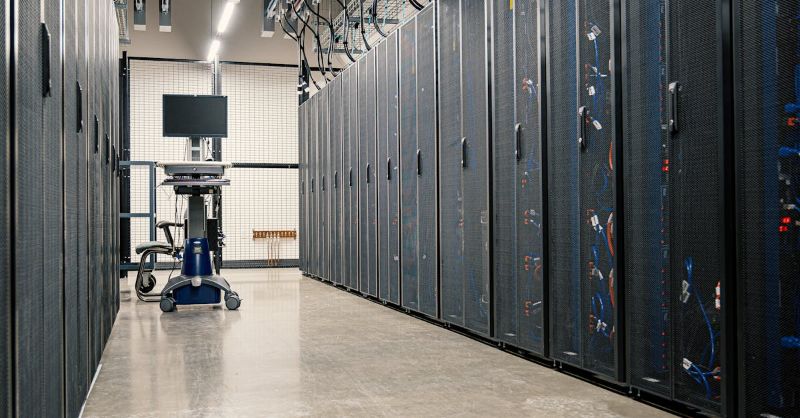
Many providers host GPU capacity in the US and call it managed. But hosting is passive — the hardware sits there — while running is active: someone watches it, fixes it, and improves it. Teams evaluating on-shore managed GPU should judge operations quality, because that is what keeps workloads live.
Hosting vs Running GPU Compute
Hosting means the provider supplies hardware and the customer does everything else: monitoring, patching, troubleshooting, capacity planning. Running means the provider assumes those ongoing responsibilities under an SLA. The distinction sounds simple, but providers blur it by labeling hosting as managed.
The practical test is who wakes up at 3am when a training job fails. In a hosted model, the customer's team does. In a run model, the provider's team does, under a documented response time. For production AI that cannot tolerate downtime, this difference is what makes a provider one that runs GPU compute rather than one that merely hosts it.
The Five Marks of a Provider That Runs GPU Well
A provider that runs on-shore GPU compute demonstrates five operational marks. Each is a capability the provider can show evidence of, and together they define operations excellence for production AI.
1. Continuous, GPU-Specific Monitoring
Monitoring must cover GPU-specific signals: thermal state, memory pressure, utilization, and job health, not just server uptime. Generic cloud monitoring that checks whether a VM responds misses GPU-level problems that cause training failures. Ask which GPU metrics the provider watches and how quickly the team acts on alerts.
2. A Defined, Measurable SLA
A real SLA specifies availability as a number, defines how it is measured, sets response and resolution times, and explains service credits when targets are missed. Vague assurances of "high uptime" are not an SLA. The SLA is the contract that makes the provider accountable for running the infrastructure well.
3. GPU-Aware Support Staff
Generalist support can handle billing and access issues but cannot diagnose a failed distributed training run or a node communication problem. A provider that runs GPU well has support engineers who understand GPU workloads, not just ticket routing. Ask about the support team's GPU expertise and escalation path.
4. Change Control That Protects Stability
Patching GPU drivers, firmware, and platform software is necessary, but each change can destabilize a production workload. A provider that runs well applies changes through a documented process with approvals, testing, and rollback plans. Uncontrolled updates are a leading cause of production incidents.
5. Incident Response With Root-Cause Analysis
When something fails, the provider responds under the SLA, follows a runbook, and delivers a root-cause analysis afterward. The quality of incident response, more than the raw hardware spec, is what teams remember about a provider during a crisis. Ask for examples of how past incidents were handled.
Operations Quality Evaluation Matrix
The table pairs each operational mark with what to verify and the red flag that signals a provider only hosts, not runs. Use it to assess providers on substance.
| Operational Mark | What to Verify | Red Flag (Host, Not Run) |
|---|---|---|
| GPU-specific monitoring | Which GPU metrics are watched | Only VM-level uptime checks |
| Defined SLA | Availability number, response times | "High uptime" without specifics |
| GPU-aware support | Support team's GPU expertise | Generalists, ticket routing only |
| Change control | Approval, testing, rollback process | Updates applied without notice |
| Incident response | Runbook, root-cause analysis | No documented response process |
How to Compare On-Shore GPU Operations Providers
Comparing providers on operations means asking the same questions of each and scoring the answers, not tallying features. The framework below structures that comparison so teams rank providers objectively.
| Question | Strong Answer | Weak Answer |
|---|---|---|
| Who monitors GPU health? | Provider team, GPU-specific metrics | Customer's responsibility |
| What does the SLA commit? | Number, measurement, credits | Best-effort availability |
| Who handles GPU failures? | GPU-aware engineers under SLA | General support, unclear path |
| How are patches applied? | Change-controlled, tested | Ad hoc, customer warned after |
| What happens after an incident? | Root-cause analysis delivered | Service restored, no analysis |
Signs a Provider Only Hosts, Not Runs
Certain signals indicate a provider's "managed" label outruns its actual operations. Encountering any of them should lower a team's confidence in the provider's ability to keep production AI available.
Monitoring Without Response Ownership
Dashboards that no one acts on are visibility, not management. If the provider deploys monitoring but does not commit to responding to alerts under the SLA, the customer still owns the 3am failure. Confirm who acts on alerts and how quickly.
Support That Cannot Discuss GPU Workloads
If the support team can reset a password but cannot discuss a training run's memory behavior, the provider is not running GPU compute; it is hosting hardware with a help desk. GPU-aware support is what makes operations useful for AI teams.
No Root-Cause Analysis After Failures
A provider that restores service but never explains what went wrong leaves the customer vulnerable to recurrence. Root-cause analysis is how operations improve over time. Its absence signals a provider that fixes problems but does not learn from them.
Who Needs a Provider That Runs, Not Hosts
Not every workload needs full operations, but certain teams cannot afford a host-only provider. These teams should apply the full five-mark assessment before committing.
Production AI teams whose workloads serve customers or critical internal processes need a provider that runs, because downtime has business consequences. Regulated teams need operations covered by the compliance agreement, not ad-hoc staff. And teams without deep GPU operations expertise need a provider that runs, because they cannot fill the gap themselves. For exploratory or batch workloads that tolerate interruption, hosting may suffice, but the choice should be conscious.
How OneSource Cloud Runs On-Shore GPU Compute
OneSource Cloud's managed AI infrastructure is built to run, not just host, on-shore GPU capacity, with continuous GPU-specific monitoring, a defined SLA, GPU-aware support, change-controlled patching, and incident response with root-cause analysis. It runs on top of private AI infrastructure with US-based data residency.
The OnePlus Platform, OneSource Cloud's AI orchestration platform, adds the governance and observability that help the operations team detect and resolve issues before they affect workloads. For teams that need a provider accountable for keeping production AI available, the model is designed around the five marks of operations excellence rather than passive hosting.
FAQ
What does it mean to run GPU compute well?
It means combining continuous GPU-specific monitoring, a defined and measurable SLA, GPU-aware support staff, change control that protects stability, and incident response with root-cause analysis. Running is active and accountable; hosting is passive and leaves operations to the customer.
How do I tell if a provider hosts or runs GPU?
Ask who monitors GPU health, what the SLA commits to, who handles GPU failures, how patches are applied, and what happens after an incident. A provider that runs answers each concretely with evidence; one that hosts deflects or leaves these to the customer.
What should an on-shore GPU SLA include?
A specific availability number, the measurement method, response and resolution times, and how service credits work when targets are missed. Vague terms like high uptime are not an SLA. The SLA is the contract that makes the provider accountable for running the infrastructure.
Why does GPU-aware support matter?
Because generalist support can handle billing but cannot diagnose a failed distributed training run or a node communication problem. GPU-aware engineers understand AI workloads and can resolve issues that general support cannot, which is what makes operations useful for production AI.
Who needs a provider that runs, not hosts?
Production AI teams whose workloads have business consequences, regulated teams that need operations covered by the compliance agreement, and teams without deep GPU operations expertise. For these teams, a host-only provider leaves the gap they cannot fill themselves.
What is a red flag in GPU operations claims?
Monitoring without response commitments, support that cannot discuss GPU workloads, and no root-cause analysis after failures. Each signals a provider that hosts hardware with a help desk rather than running GPU compute with accountable operations.
Summary
A provider that runs on-shore GPU compute well demonstrates five marks: GPU-specific monitoring, a measurable SLA, GPU-aware support, change control, and incident response with root-cause analysis. Hosting is passive; running is active and accountable. For production AI teams, regulated teams, and teams without GPU operations depth, choosing a provider that runs rather than hosts is what keeps workloads available and incidents from recurring.
Next step: Explore OneSource Cloud's managed AI infrastructure to assess its operations quality →
Related Articles
Recommended Reading
-
How Paged Attention Manages Inference KV Cache
-
Google Cloud GPU Pricing: What Enterprise AI Teams Should Evaluate Before Provisioning
-
Paperspace Pricing 2026: GPU Cost Breakdown
-
AI Infrastructure Costs: Controlling Enterprise GPU Spending
-
CoreWeave Enterprise GPU Cloud: Evaluation for AI Teams
-
CoreWeave vs Lambda Labs vs OneSource Cloud: GPU Provider Decision Guide
-
AWS GPU Pricing: Instance Types, Cost Structure & Alternatives Guide
-
U.S. Data Residency in the Cloud: Requirements, Regulations & Compliance Guide
latest articles
-
Private GPU Cloud Failover Without Breaking Data Isolation
-
GPU Telemetry Release Correlation to Diagnose Model Regress
-
Managed AI Infrastructure vs Self-Managed Clusters: Real TCO
-
Multi-Tenant GPU Governance for Healthcare and Clinical AI
-
Data Center Power Planning for AI Workloads and High Density
-
AI Network Latency Component Map: Where Microseconds Vanish
-
AI Model Runtime Portability: How to Prevent Cloud Lock-In
-
H100 Dedicated GPU Cloud Planning: Sizing, Power, and Fabric
-
Industrial AI GPU Infrastructure for Factory Vision Systems
-
Single-Tenant GPU Cloud vs Multi-Tenant GPU Cloud Security