
What GPU Compute Tools Give AI Teams
GPU compute tools give AI teams the scheduling, quota, deployment governance, observability, and shared workspaces that turn raw accelerators into a productive development environment, multiplying what a team can build per GPU hour. Without these tools, hardware sits underused while teams wait, contend, and rework.
Teams that get GPUs but no platform tools often discover that the hardware is the easy part. The hard part is sharing it fairly, deploying models consistently, and seeing what is happening across the cluster. Compute tools address these, and their absence is why powerful clusters sometimes produce less AI than expected.
The Five Capabilities GPU Compute Tools Provide
A real AI platform delivers five capabilities beyond raw hardware. Each addresses a friction point that limits team productivity, and together they turn a cluster into a productive environment.
1. GPU Scheduling and Quota
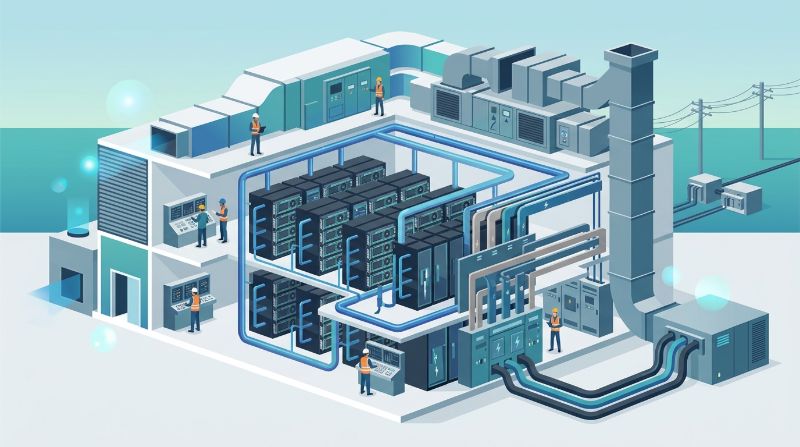
Scheduling tools allocate GPU capacity to teams and jobs based on priority and quota, so high-value workloads get resources when they need them. Without scheduling, teams contend informally, and a long training run can block critical inference. Quota enforces fairness and prevents one team from monopolizing the cluster.
2. Model Deployment Governance
Deployment tools version models, track who deployed what against which dataset, and enforce approval workflows. This governance matters because ungoverned deployments create audit gaps and make it hard to roll back a bad release. For production AI, deployment governance is what keeps the model lifecycle manageable.
3. Observability
Observability tools show GPU utilization, job health, and performance across the cluster, so the team can spot problems early and understand how capacity is used. Without observability, the team operates blind, unable to tell whether a slow training run is a model issue or an infrastructure bottleneck.
4. Shared Developer Workspaces
Workspaces give developers consistent, pre-configured environments for building and testing models, with access to shared GPU capacity. This removes the setup friction that eats developer time and ensures everyone works in a consistent environment rather than each developer assembling their own.
5. Multi-Team Collaboration
Collaboration features let teams share datasets, models, and environments under governed access. For organizations with multiple AI teams, this prevents the duplication where each team rebuilds what another already created, and it makes shared capacity actually shared rather than siloed.
What Tools Provide vs Raw Hardware
The table contrasts a cluster with platform tools against one with raw hardware only. The difference is not in GPU power but in how much AI work the hardware produces.
| Capability | Raw Hardware | With Compute Tools |
|---|---|---|
| Capacity allocation | Informal contention | Scheduled, quota-governed |
| Model deployment | Manual, ungoverned | Versioned, approved, tracked |
| Visibility | Limited, reactive | Continuous observability |
| Developer setup | Each builds their own | Shared workspaces |
| Cross-team sharing | Duplicated effort | Governed collaboration |
How Tools Multiply Team Output
The economic case for platform tools is utilization and productivity. Scheduled, quota-governed capacity gets used more fully because idle time in one team fills demand in another. Governed deployments reduce rework because bad releases roll back cleanly. Observability catches problems early, before they waste GPU hours. And shared workspaces remove the setup overhead that silently consumes developer time.
The combined effect is that the same hardware produces more AI. A cluster with strong tools can deliver substantially more useful output than a larger cluster without them, because the tools remove the frictions that cause hardware to sit idle while teams wait or rework.
When Tools Matter Most
Platform tools matter more as a team grows. Recognizing the inflection points helps organizations invest in tools at the right time rather than too late.
When a second AI team joins the cluster, scheduling and quota become essential to prevent contention. When models move to production, deployment governance becomes essential for audit and rollback. When the cluster grows beyond a handful of nodes, observability becomes essential to manage what cannot be seen directly. Investing in tools at these inflection points is cheaper than waiting until contention, ungoverned deployments, or blind spots have already cost the team GPU hours.
How to Evaluate GPU Compute Tools
Not all platforms deliver the five capabilities equally. The checklist below helps teams assess whether a platform provides genuine tools or a thin layer over raw hardware.
| Capability | Evaluation Question |
|---|---|
| Scheduling and quota | Can we set per-team quota and priorities? |
| Deployment governance | Are deployments versioned with approver tracking? |
| Observability | Can we see GPU utilization and job health cluster-wide? |
| Workspaces | Are developer environments pre-configured and shared? |
| Collaboration | Can teams share datasets and models under governance? |
How OneSource Cloud Provides GPU Compute Tools
The OnePlus Platform, OneSource Cloud's AI orchestration platform, provides the five capabilities on top of dedicated private AI infrastructure. It schedules GPU capacity across teams with quota, governs model deployment with versioning and approval, delivers cluster-wide observability, offers shared developer workspaces, and enables governed collaboration for multi-team environments.
Combined with the managed AI infrastructure operations layer, the platform is designed to multiply team output by turning raw GPU capacity into a productive, governed, observable environment where more AI gets done per GPU hour.
FAQ
What do GPU compute tools give AI teams?
Five capabilities: scheduling and quota for fair capacity sharing, model deployment governance for versioned and approved releases, observability for cluster-wide visibility, shared developer workspaces for consistent environments, and multi-team collaboration under governed access. Together they turn raw hardware into a productive environment.
Why do AI teams need platform tools beyond hardware?
Because hardware alone leads to informal contention, ungoverned deployments, limited visibility, duplicated setup, and siloed teams. Platform tools remove these frictions, so the same hardware produces more AI work. A cluster with strong tools often outperforms a larger one without them.
How do GPU scheduling and quota help?
They allocate capacity to teams and jobs based on priority and agreed limits, so high-value workloads get resources when needed and one team cannot monopolize the cluster. Without scheduling, teams contend informally, and a long training run can block critical inference.
When should a team invest in GPU compute tools?
At inflection points: when a second AI team joins the cluster, when models move to production, or when the cluster grows beyond a handful of nodes. Investing at these points is cheaper than waiting until contention, ungoverned deployments, or blind spots have already cost GPU hours.
What is deployment governance in GPU tools?
Versioning models, tracking who deployed what against which dataset, and enforcing approval workflows. It matters because ungoverned deployments create audit gaps and make bad releases hard to roll back. For production AI, governance keeps the model lifecycle manageable.
How do tools multiply AI team output?
Through higher utilization from scheduled capacity, less rework from governed deployments, earlier problem detection from observability, and less setup overhead from shared workspaces. The same hardware produces more useful AI because the tools remove the frictions that cause hardware to sit idle.
Summary
GPU compute tools give AI teams scheduling and quota, deployment governance, observability, shared workspaces, and multi-team collaboration, the five capabilities that turn raw accelerators into a productive environment. Without them, powerful clusters underperform because teams contend, deploy ungoverned, operate blind, and duplicate effort. Investing in tools at the right inflection points, when teams grow, models go to production, or the cluster scales, is what multiplies AI output per GPU hour and prevents the hardware from being the easy part that hides the hard part.
Next step: Explore the OnePlus Platform to see what GPU compute tools give your AI teams →
Related Articles
Recommended Reading
-
How Paged Attention Manages Inference KV Cache
-
Google Cloud GPU Pricing: What Enterprise AI Teams Should Evaluate Before Provisioning
-
Paperspace Pricing 2026: GPU Cost Breakdown
-
AI Infrastructure Costs: Controlling Enterprise GPU Spending
-
CoreWeave Enterprise GPU Cloud: Evaluation for AI Teams
-
CoreWeave vs Lambda Labs vs OneSource Cloud: GPU Provider Decision Guide
-
AWS GPU Pricing: Instance Types, Cost Structure & Alternatives Guide
-
U.S. Data Residency in the Cloud: Requirements, Regulations & Compliance Guide
latest articles
-
Private GPU Cloud Failover Without Breaking Data Isolation
-
GPU Telemetry Release Correlation to Diagnose Model Regress
-
Managed AI Infrastructure vs Self-Managed Clusters: Real TCO
-
Multi-Tenant GPU Governance for Healthcare and Clinical AI
-
Data Center Power Planning for AI Workloads and High Density
-
AI Network Latency Component Map: Where Microseconds Vanish
-
AI Model Runtime Portability: How to Prevent Cloud Lock-In
-
H100 Dedicated GPU Cloud Planning: Sizing, Power, and Fabric
-
Industrial AI GPU Infrastructure for Factory Vision Systems
-
Single-Tenant GPU Cloud vs Multi-Tenant GPU Cloud Security