
How GPU Compute Tools Aid Big AI
GPU compute tools aid big AI programs by providing the scheduling, quota, governance, observability, and collaboration capabilities that let multiple teams share capacity fairly and scale workloads without the contention, duplication, and ungoverned deployments that limit growth. At enterprise scale, tools are what prevent the hardware from becoming a bottleneck.
Small AI teams can run on raw GPU capacity because one team manages everything informally. Big AI programs cannot. As teams multiply and workloads grow, the absence of platform tools turns into contention for capacity, duplicated effort across teams, and deployments that escape oversight. GPU compute tools address these, and their presence is what separates a big program that scales from one that stalls.
Why Big AI Programs Need Tools More Than Small Ones
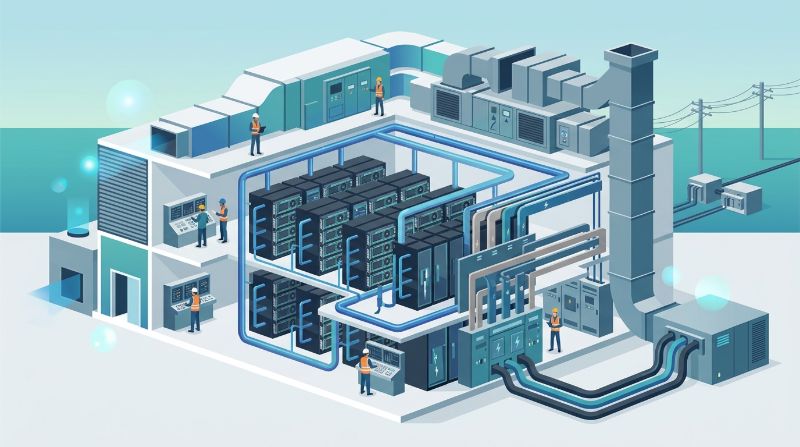
The need for platform tools scales with organizational complexity, not just with GPU count. A single team with a handful of GPUs can coordinate informally, but a program with five teams sharing a cluster cannot. Without tools, the cluster becomes a battleground where the loudest team wins capacity and others wait, and where each team rebuilds what another already created.
This is why big AI programs invest in platform tools before they hit the wall. The cost of tools is far lower than the cost of stalled workloads, duplicated effort, and ungoverned deployments that emerge when a program outgrows informal coordination. Tools are not a luxury at scale; they are the infrastructure that makes scale possible.
The Five Ways Tools Aid Big AI Programs
GPU compute tools help large programs in five specific ways, each addressing a scaling challenge that emerges as an organization grows. Together they turn a cluster into a productive, governed environment.
1. Fair Capacity Allocation
Scheduling and quota tools allocate GPU capacity to teams based on priority and agreed limits, so high-value workloads get resources when needed and one team cannot monopolize the cluster. Without scheduling, teams contend informally, and a long training run can block critical inference. Fair allocation is what keeps a big program productive rather than gridlocked.
2. Governed Deployment at Scale
Deployment tools version models, track who deployed what against which dataset, and enforce approval workflows. At enterprise scale, ungoverned deployments create audit gaps and make bad releases hard to roll back. Governed deployment keeps the model lifecycle manageable across many teams and releases.
3. Cluster-Wide Observability
Observability tools show GPU utilization, job health, and performance across the entire cluster, so operations teams can spot problems early and understand how capacity is used. Without observability, a big program operates blind, unable to tell whether a slow run is a model issue or an infrastructure bottleneck. Cluster-wide visibility is essential when the environment is too large to monitor manually.
4. Shared Development Environments
Workspaces give developers consistent, pre-configured environments with access to shared GPU capacity, removing the setup friction that eats developer time. At scale, this consistency matters more than at small scale, because dozens of developers each building their own environment wastes enormous collective time.
5. Cross-Team Collaboration
Collaboration features let teams share datasets, models, and environments under governed access, preventing the duplication where each team rebuilds what another already created. For big programs, this prevents the silo effect where the organization pays multiple times for the same capability because teams cannot see or share each other's work.
Big Program Without Tools vs With Tools
The table contrasts a big AI program running on raw hardware versus one with platform tools. The difference is not GPU power but how much AI work the program produces.
| Scaling Challenge | Without Tools | With Tools |
|---|---|---|
| Capacity contention | Informal, loudest wins | Scheduled, quota-governed |
| Deployment oversight | Ungoverned, hard to audit | Versioned, approved, tracked |
| Cluster visibility | Limited, reactive | Continuous, cluster-wide |
| Developer setup | Each builds their own | Shared workspaces |
| Cross-team sharing | Duplicated effort | Governed collaboration |
How Tools Prevent Big Program Failures
Three failure modes recur in big AI programs that lack platform tools. Each one turns a solvable coordination challenge into wasted compute and stalled projects.
Capacity Gridlock
Without scheduling, multiple teams competing for the same cluster create gridlock. One team's long training run blocks another's inference, and the program produces less AI than the hardware could support. Scheduling and quota prevent this by enforcing fair allocation.
Deployment Chaos
Without governed deployment, models reach production without version tracking or approval, creating audit gaps and making bad releases hard to roll back. At enterprise scale, this chaos compounds across many teams and releases, turning the model lifecycle into an unmanageable sprawl.
Invisible Bottlenecks
Without observability, a big program cannot see where capacity goes or why a workload is slow. The team blames the model when the real issue is a storage bottleneck or a scheduling inefficiency. Observability makes the invisible visible, so the program can optimize rather than guess.
When a Big Program Should Invest in Tools
The right time to invest in tools is before the program hits the wall, not after. Recognizing the inflection points helps organizations invest proactively rather than reactively.
When a second AI team joins the cluster, scheduling becomes essential. When models move to production, deployment governance becomes essential. When the cluster grows beyond a handful of nodes, observability becomes essential. And when teams begin duplicating each other's work, collaboration features become essential. Investing at these points is cheaper than waiting until gridlock, chaos, or invisible bottlenecks have already cost the program GPU hours and schedule slips.
How OneSource Cloud's Tools Aid Big AI
The OnePlus Platform, OneSource Cloud's AI orchestration platform, provides the five capabilities on top of dedicated private AI infrastructure: scheduling and quota for fair allocation, governed deployment with versioning, cluster-wide observability, shared developer workspaces, and governed cross-team collaboration.
Combined with the managed AI infrastructure operations layer, the platform is designed to help big AI programs scale by turning raw GPU capacity into a governed, observable, collaborative environment where more AI gets done per GPU hour and where the scaling failures that limit growth are prevented by design.
FAQ
How do GPU compute tools aid big AI programs?
By providing scheduling and quota for fair capacity allocation, governed deployment for versioned releases, cluster-wide observability for visibility, shared workspaces for consistent development, and cross-team collaboration that prevents duplication. Together they let big programs scale without the failures that limit growth.
Why do big AI programs need tools more than small ones?
Because the need for tools scales with organizational complexity, not just GPU count. A single team can coordinate informally, but multiple teams sharing a cluster cannot. Without tools, big programs hit capacity gridlock, deployment chaos, and invisible bottlenecks that stall growth.
What happens when a big program lacks platform tools?
Capacity contention where the loudest team wins, ungoverned deployments that create audit gaps, invisible bottlenecks the team cannot diagnose, and duplicated effort across teams. Each turns a solvable coordination challenge into wasted compute and stalled projects.
When should a big program invest in GPU tools?
Before hitting the wall, at inflection points: when a second team joins the cluster, when models go to production, when the cluster grows beyond a few nodes, or when teams begin duplicating work. Investing proactively at these points is cheaper than reacting after failures have cost GPU hours.
How do scheduling and quota help big programs?
They allocate capacity to teams based on priority and agreed limits, preventing the gridlock where one team's long run blocks another's work. Fair allocation keeps the program productive by ensuring high-value workloads get resources and no team monopolizes the cluster.
Do tools increase a big program's AI output?
Yes, by raising utilization through scheduled capacity, reducing rework through governed deployments, catching problems early through observability, and eliminating duplicated effort through collaboration. The same hardware produces more useful AI because tools remove the frictions that cause capacity to sit idle while teams wait or rework.
Summary
GPU compute tools aid big AI programs by providing scheduling, quota, governance, observability, and collaboration, the five capabilities that let multiple teams share capacity fairly and scale without contention, chaos, or invisible bottlenecks. Big programs need tools more than small ones because organizational complexity, not just GPU count, drives the need. Investing at the right inflection points, before the wall rather than after, is what turns a big program's hardware into a governed, productive environment that scales.
Next step: Explore the OnePlus Platform to see how its tools aid big AI programs →
Related Articles
Recommended Reading
-
How Paged Attention Manages Inference KV Cache
-
Google Cloud GPU Pricing: What Enterprise AI Teams Should Evaluate Before Provisioning
-
Paperspace Pricing 2026: GPU Cost Breakdown
-
AI Infrastructure Costs: Controlling Enterprise GPU Spending
-
CoreWeave Enterprise GPU Cloud: Evaluation for AI Teams
-
CoreWeave vs Lambda Labs vs OneSource Cloud: GPU Provider Decision Guide
-
AWS GPU Pricing: Instance Types, Cost Structure & Alternatives Guide
-
U.S. Data Residency in the Cloud: Requirements, Regulations & Compliance Guide
latest articles
-
Private GPU Cloud Failover Without Breaking Data Isolation
-
GPU Telemetry Release Correlation to Diagnose Model Regress
-
Managed AI Infrastructure vs Self-Managed Clusters: Real TCO
-
Multi-Tenant GPU Governance for Healthcare and Clinical AI
-
Data Center Power Planning for AI Workloads and High Density
-
AI Network Latency Component Map: Where Microseconds Vanish
-
AI Model Runtime Portability: How to Prevent Cloud Lock-In
-
H100 Dedicated GPU Cloud Planning: Sizing, Power, and Fabric
-
Industrial AI GPU Infrastructure for Factory Vision Systems
-
Single-Tenant GPU Cloud vs Multi-Tenant GPU Cloud Security