
GPU Capacity Planning for Blue-Green LLM Deployment
GPU capacity planning for blue-green LLM deployment means reserving enough compute and storage to run two versions of a model at once, hold during the cutover window, and roll back safely if the new version fails — without paying for permanently doubled hardware. Blue-green needs capacity for the overlap, not for a full second cluster at all times.
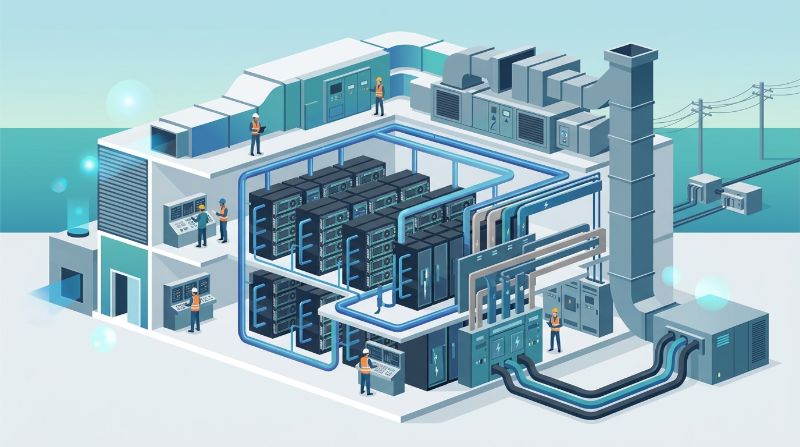
This article explains the capacity the pattern actually consumes and how to size it so deployment and rollback stay safe and affordable.
Understand What Blue-Green Actually Needs
Blue-green deployment runs the current version (blue) and the new version (green) side by side so traffic can be switched, tested, and rolled back without downtime. The capacity that pattern needs is the capacity to host both during the cutover, not an always-on second environment. Once green is validated and traffic switches, blue can be released.
Plan the capacity for the overlap window and the rollback reserve rather than assuming the model requires permanently doubled resources.
Size the Coexistence Peak, Not the Average
The binding constraint is the peak of the overlap: both blue and green live while traffic is validated and switched, and the box must carry them. For a steady workload, that effectively means running the model's footprint twice during the window. For a workload that can drain blue while green ramps, the peak is lower, but the plan must still cover the moment both are needed for testing and rollback.
Model the peak coexistence explicitly. It is the number that drives how much short-term capacity the plan must hold, and it is usually far above the average that a steady-state plan would assume.
Add the Rollback Reserve
Rollback means the capacity to return to blue if green fails after traffic begins. That reserve either keeps blue warm and available through the cutover or relies on fast re-provisioning. Keeping blue warm is simplest but holds capacity during the window; re-provisioning on rollback is cheaper but depends on a fast, tested path. Decide which the workload accepts.
If blue is released immediately after switch, the rollback capability can be rebuilt from a stored image and checkpoint rather than held warm, easing the capacity load. Weigh rollback speed against capacity cost for the specific service-level requirement.
Include the Storage and Checkpoint Footprint
Blue-green uses more than compute. Both model versions need storage for weights, embeddings, and logs during the overlap, and a safe rollback needs the previous model's image and checkpoint available. Sizing includes that storage, which grows with model size and the number of versioned artifacts retained.
- Model the overlap peak: the moment blue and green run together for test and switch.
- Decide the rollback model: keep blue warm or re-provision from a stored image and checkpoint.
- Add the storage footprint: both versions, weights, embeddings, logs, and checkpoints.
- Plan the release: when blue is released and how capacity returns to steady state.
- Test the cutover: validate the switch and rollback under real load, not a dry run.
Managed AI infrastructure can plan and execute the capacity, storage, and cutover so the blue-green overlap does not require the customer to overbuy hardware. An orchestration platform can manage the two model environments and the switch under one view.
FAQ
How much more GPU capacity does blue-green deployment need?
Blue-green needs enough capacity to run both the current and new model simultaneously during the cutover and rollback window, which can approach double the single-version footprint at the overlap peak. The pattern does not require a permanently doubled cluster. Once green is validated and the switch completes, blue can be released and capacity returns to steady state.
Why does blue-green use more GPU space than a single rollout?
Blue-green runs two versions at once to enable zero-downtime switching and rollback, so during the overlap both models occupy compute and storage. That coexistence, plus the rollback reserve, is what increases the footprint at the cutover. Sizing focuses on that peak, which is why planning for the overlap rather than the average is essential.
Can I roll back without keeping the old environment warm?
Yes, if the previous model is stored as an image and checkpoint and can be re-provisioned quickly on rollback. This uses less capacity during normal operation but depends on a fast, tested recovery path. Keep the old environment warm when rollback speed is critical; re-provision when capacity cost matters more. Choose based on the workload's recovery tolerance.
Summary
GPU capacity planning for blue-green LLM deployment sizes for the coexistence peak and rollback reserve, not a permanently doubled cluster. It includes compute and storage for both versions, a decided rollback model, and a tested cutover. With that plan, zero-downtime deployment stays safe without overbuying hardware.
Related Articles
Recommended Reading
-
How Paged Attention Manages Inference KV Cache
-
Google Cloud GPU Pricing: What Enterprise AI Teams Should Evaluate Before Provisioning
-
Paperspace Pricing 2026: GPU Cost Breakdown
-
AI Infrastructure Costs: Controlling Enterprise GPU Spending
-
CoreWeave Enterprise GPU Cloud: Evaluation for AI Teams
-
CoreWeave vs Lambda Labs vs OneSource Cloud: GPU Provider Decision Guide
-
AWS GPU Pricing: Instance Types, Cost Structure & Alternatives Guide
-
U.S. Data Residency in the Cloud: Requirements, Regulations & Compliance Guide
latest articles
-
Private GPU Cloud Failover Without Breaking Data Isolation
-
GPU Telemetry Release Correlation to Diagnose Model Regress
-
Managed AI Infrastructure vs Self-Managed Clusters: Real TCO
-
Multi-Tenant GPU Governance for Healthcare and Clinical AI
-
Data Center Power Planning for AI Workloads and High Density
-
AI Network Latency Component Map: Where Microseconds Vanish
-
AI Model Runtime Portability: How to Prevent Cloud Lock-In
-
H100 Dedicated GPU Cloud Planning: Sizing, Power, and Fabric
-
Industrial AI GPU Infrastructure for Factory Vision Systems
-
Single-Tenant GPU Cloud vs Multi-Tenant GPU Cloud Security