
High-Density GPU Racks: Plan Power and Cooling Capacity
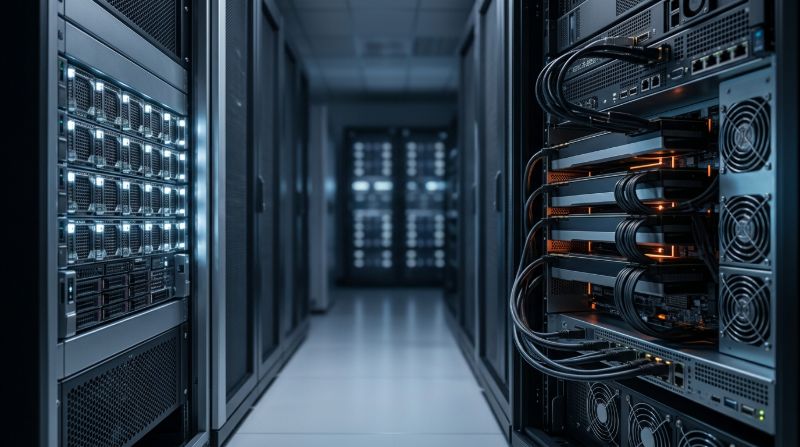
GPU rack power density is the electrical load per equipment rack that a facility must deliver, protect, cool, and monitor for an AI cluster. It is not simply the sum of server nameplate ratings. A usable design accounts for actual workload peaks, power supplies, network and storage equipment, redundancy, circuit limits, cooling performance, cable paths, and growth.
Enterprise teams should establish a per-rack power budget before finalizing node count or placement. High-density GPU systems can expose constraints that general-purpose server rooms were not designed to handle. The plan should connect IT architecture with facility capacity and define measurable acceptance criteria before equipment arrives.
Calculate a Usable GPU Rack Power Budget
Start with the configured maximum input for every server, switch, storage device, management appliance, and auxiliary component. Then model expected sustained and peak loads using representative AI workloads. Apply the facility's circuit-loading rules and redundancy design to determine usable capacity rather than assuming every provisioned kilowatt is continuously available.
| Input | Planning question | Evidence |
|---|---|---|
| Server configuration | What is the maximum and expected load for the installed GPUs and CPUs? | Vendor data, configured components, measured baseline |
| Redundancy model | Can the rack remain within limits after losing one feed or component? | Single-line diagram and failover calculation |
| Network and storage | How much load sits outside the GPU servers? | Switch, optics, storage, and management inventory |
| Cooling capacity | Can heat be removed at the planned density? | Thermal design, airflow or liquid-cooling capacity |
| Growth headroom | Can future nodes or higher-power GPUs be added safely? | Reserved capacity and expansion trigger |
Use scenario ranges instead of one optimistic number. Model normal workload, expected peak, redundancy failure, maintenance, and future expansion. The resulting budget should state assumptions clearly so procurement, facility, and platform teams make decisions from the same baseline.
Redundancy Changes the Amount of Power a Rack Can Use
Design for the Failure State
Dual power supplies and A/B feeds support resilience only when either remaining path can carry the required load after a failure. A rack that operates near the combined capacity of both feeds can overload when one path is lost. Define the allowable steady-state load and confirm it against breaker, power-distribution, and upstream system limits.
Align Server and Facility Topology
Trace power from utility or generator through uninterruptible power, distribution, rack units, and server supplies. Identify shared failure domains. Two rack feeds that originate from the same upstream component may not provide the independence assumed by the IT design. The plan should also state maintenance behavior and whether workloads must be drained before electrical work.
Cooling Must Match the Rack's Real Heat Load
Nearly all electrical energy consumed by IT equipment becomes heat that must be removed. High rack density can exceed the capacity of room-level airflow even when total facility cooling appears sufficient. Evaluate supply temperature, airflow containment, pressure, return-air conditions, liquid-cooling interfaces, water availability, leak detection, and service access.
Place temperature and power telemetry where it reflects rack behavior, not only room averages. Hot spots, recirculation, and uneven airflow can throttle or destabilize GPUs before a facility-wide alarm triggers. Acceptance testing should run representative sustained workloads long enough to reveal thermal equilibrium and not rely on a short idle inspection.
Power Density Affects Network, Storage, and Rack Layout
Network switches, optics, storage shelves, and management devices consume power and generate heat while competing for rack units and cable space. Top-of-rack placement may simplify cabling but concentrates additional heat near high-density servers. Remote placement changes cable distance, optics, failure domains, and operational access.
A complete AI networking design should be reviewed with rack power and cooling rather than added afterward. Storage placement matters as well: local cache, shared high-performance storage, and durable data tiers each affect power, network load, and serviceability. AI storage architecture can keep the highest-throughput data path aligned with the facility design.
Validate GPU Rack Capacity Before Production
Acceptance should compare planned and measured power at rack, feed, and server levels. Exercise sustained compute, communication, and storage activity, then test credible failure conditions where permitted. Record temperatures, power draw, throttling, hardware errors, link stability, and monitoring coverage. Establish alert thresholds below hard facility limits to preserve response time.
- Verify each feed and circuit. Confirm labeling, capacity, monitoring, phase balance, and the expected load path.
- Run a representative burn-in. Stress compute, network, and storage long enough to expose thermal and electrical issues.
- Test telemetry and alerts. Ensure facility and infrastructure teams see the same events and know who responds.
- Document expansion limits. State how many nodes can be added and which review is required before the limit changes.
Private AI infrastructure lets enterprises align dedicated GPU capacity with a known facility and operating model. OneSource Cloud's U.S.-based options can support that planning, while managed AI infrastructure can connect telemetry, incident response, maintenance, and lifecycle capacity decisions.
FAQ
How is GPU rack power density calculated?
Add the configured load for servers, network, storage, and supporting devices, then express it per rack. Adjust for measured workload behavior, circuit-loading rules, redundancy, and growth. The result should be usable design capacity, not merely the sum of nameplate ratings or the total capacity of both redundant feeds.
Why can a rack have enough power but still overheat?
Electrical capacity and heat removal are separate constraints. Room-level cooling may be adequate in total while airflow, containment, liquid-cooling connections, or local heat exchange cannot support one dense rack. Recirculation and hot spots can also raise component temperature even when average room readings appear normal.
How much power headroom should a GPU rack have?
There is no universal percentage. Headroom should reflect circuit rules, redundancy failure, workload peaks, measurement uncertainty, equipment aging, and planned growth. Define the maximum approved operating level for each feed and rack, then set alerts below that limit so teams can respond before capacity is exhausted.
Should GPU burn-in testing include the network and storage?
Yes. Real AI workloads can drive compute, collective communication, and data access simultaneously. A compute-only test may miss the power, thermal, and stability effects of switches, optics, storage traffic, and CPU activity. Use a representative combined test and record both facility telemetry and infrastructure errors.
Who owns GPU rack power planning?
Ownership is shared across infrastructure architecture, facility engineering, networking, storage, operations, procurement, and workload teams. Assign one accountable design owner, but require evidence from each domain. The responsibility matrix should also define who monitors thresholds, approves expansion, handles alarms, and coordinates maintenance.
Summary
GPU rack power density planning connects accelerator configuration with redundancy, cooling, network and storage placement, telemetry, and growth. Enterprises need scenario-based budgets and measured acceptance tests before production. OneSource Cloud can help align dedicated GPU infrastructure, data center capacity, and ongoing operations under a documented enterprise AI architecture.
Related Articles
Recommended Reading
-
How Paged Attention Manages Inference KV Cache
-
Google Cloud GPU Pricing: What Enterprise AI Teams Should Evaluate Before Provisioning
-
Paperspace Pricing 2026: GPU Cost Breakdown
-
AI Infrastructure Costs: Controlling Enterprise GPU Spending
-
CoreWeave Enterprise GPU Cloud: Evaluation for AI Teams
-
CoreWeave vs Lambda Labs vs OneSource Cloud: GPU Provider Decision Guide
-
AWS GPU Pricing: Instance Types, Cost Structure & Alternatives Guide
-
U.S. Data Residency in the Cloud: Requirements, Regulations & Compliance Guide
latest articles
-
Private GPU Cloud Failover Without Breaking Data Isolation
-
GPU Telemetry Release Correlation to Diagnose Model Regress
-
Managed AI Infrastructure vs Self-Managed Clusters: Real TCO
-
Multi-Tenant GPU Governance for Healthcare and Clinical AI
-
Data Center Power Planning for AI Workloads and High Density
-
AI Network Latency Component Map: Where Microseconds Vanish
-
AI Model Runtime Portability: How to Prevent Cloud Lock-In
-
H100 Dedicated GPU Cloud Planning: Sizing, Power, and Fabric
-
Industrial AI GPU Infrastructure for Factory Vision Systems
-
Single-Tenant GPU Cloud vs Multi-Tenant GPU Cloud Security