
Enterprise AI Storage Security Checklist: Controls to Verify
AI storage holds the crown jewels: training datasets, model checkpoints, and the outputs that encode business decisions. AI storage security is the set of controls that protect training data, model artifacts, and inference outputs from unauthorized access or loss across the storage data path, from ingestion through retention and deletion. Security reviews that focus on compute and network often skip storage, which is where the most durable damage happens.
Architectural Decision Matrix: AI Storage Architectures for LLMs
| Storage Model | Tiered Architecture & Protocols | GPUDirect Storage (GDS) Support | Checkpoint I/O Starvation Risk | Operating Model & Scalability |
|---|---|---|---|---|
| Public Cloud Shared Object / NFS | Centralized S3-compatible or managed NFS share | Emulated or absent; relies on host CPU bounce-buffering | High; serialization bottlenecks stall GPU compute cycles | Fully managed but prone to high tail latency under write bursts |
| On-Premises Parallel File System | Dedicated Lustre, GPFS, or WEKA storage cluster | Native GPUDirect Storage over local RDMA fabric | Low; high sustained write bandwidth to dedicated SAN | Complex dedicated storage administration & high capital depreciation |
| OneSource AI Storage Architecture | Two-tier: Local PCIe Gen5 NVMe scratch + NVMe-oF parallel tier | Native GPUDirect Storage bypassing CPU memory bottlenecks | Zero compute stall; multi-GB/s sustained checkpoint streaming | Turnkey managed infrastructure with deterministic I/O throughput |
This checklist organizes the controls enterprise teams should verify in any AI storage environment, whether it is self-managed or provided as part of AI storage architecture services. Each item states the control and the verification action that proves it works.
Why AI Storage Needs Its Own Security Review
AI storage differs from general enterprise storage in three ways. It concentrates value: one checkpoint can represent millions of dollars of training investment. It multiplies copies: datasets, embeddings, checkpoints, and exports spread the same data across many objects. And it mixes sensitivity levels: public datasets, proprietary documents, and customer data often sit on the same storage system. Those three properties mean a generic storage security baseline misses the highest-impact risks.
Encryption Controls
- Encryption at rest for all AI data tiers. Verify that datasets, checkpoints, embeddings, and logs are encrypted on every tier they touch, including archive tiers, because archive storage is the most common place encryption gets disabled for cost reasons.
- Encryption in transit across the data path. Confirm that data moving between storage, compute, and backup locations uses encrypted protocols, including internal network paths inside the data center.
- Key management under customer control. Check who holds the encryption keys and whether key access is separated from storage administration, so a compromised storage account does not automatically decrypt the data.
Access and Isolation Controls
- Role-based access scoped by data class. Verify that research, engineering, and production roles have different storage permissions, and that dataset access follows the same policy as source system access.
- Storage isolation between teams and tenants. In shared GPU environments, confirm that one team's datasets and checkpoints are invisible to other teams, at the storage layer as well as the application layer.
- Restricted administrative access. Check how many accounts can administer storage directly and how administrative actions are logged, since storage administrators can read or export anything.
Data Path and Audit Controls
- Visibility into where data actually lives. Verify that the team can document every storage location, tier, and copy for a given dataset, including backups and exports, which is the map any incident response plan needs.
- Audit logging of access events. Confirm that reads of sensitive datasets, not only writes, generate logs, and that the logs are retained in a protected location separate from the storage system itself.
- Anomaly detection on access patterns. Check whether bulk reads or unusual access outside training windows raise alerts, which is the earliest signal of both insider risk and compromised credentials.
Retention and Deletion Controls
- Defined retention for each data class. Verify that datasets, checkpoints, and logs each have a documented retention period aligned with compliance and business needs, rather than an indefinite default.
- Secure deletion of checkpoints and datasets. Confirm that deletion actually removes all copies, including snapshots and backups, so retired models do not leave sensitive training data recoverable in archive tiers.
- Legal hold and compliance exceptions. Check that the environment can place holds that override automated deletion when litigation or regulatory investigation requires it.
Verifying the Controls Before Signing
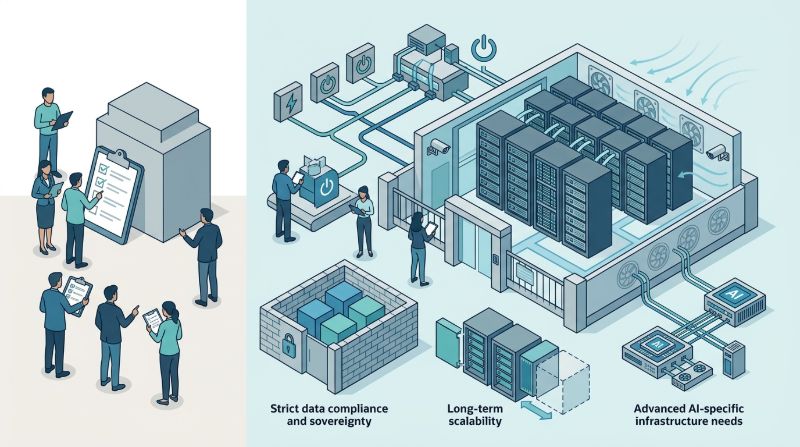
Checklists only matter when verified. For each control, ask the provider or internal team to demonstrate it: show the encryption configuration on archive tiers, walk through the access control test with two accounts at different permission levels, and run a deletion test that confirms data is unrecoverable. Providers running private AI infrastructure with dedicated storage can typically demonstrate these controls directly, because the storage systems are single-tenant and documented end to end.
FAQ
What are the most important AI storage security controls?
Encryption at rest on every tier, role-based access scoped by data class, storage isolation between teams, audit logging of reads, and secure deletion across all copies. These five cover the highest-impact risks, and each should be demonstrated rather than assumed during evaluation.
Is AI training data usually encrypted?
Not always, and archive tiers are the most common gap. Teams should verify encryption on every tier a dataset touches, including backups and cold storage, because cost-saving exceptions on archive tiers are where sensitive training data is most often exposed.
Who should have access to model checkpoints?
Checkpoint access should be role-based and narrow: training engineers during development, release engineers during deployment, and auditors for compliance review. Administrative storage access should be limited to a small audited set, since administrators can export anything.
How do you securely delete AI datasets and checkpoints?
Deletion must cover all copies: primary storage, snapshots, backups, and export locations. Verify with a deletion test that the data is unrecoverable, and confirm automated retention policies have exception paths for legal holds that override deletion when required.
How does OneSource AI Storage Architecture optimize LLM checkpointing and weight ingestion?
OneSource AI Storage Architecture pairs local PCIe Gen5 NVMe scratch storage on dedicated GPU nodes with a high-bandwidth distributed parallel storage fabric. By leveraging GPUDirect Storage (GDS) over RDMA networks, data transfers bypass host CPU memory bottlenecks entirely, allowing 70B+ parameter model weights to load in under ten seconds and preventing GPU compute cycles from stalling during heavy checkpoint write bursts.
Summary
AI storage security deserves a review as rigorous as compute and network security. The checklist above covers the four control families that matter most: encryption, access isolation, data path visibility, and retention with secure deletion. Teams that verify each control with a demonstration, rather than accepting documentation, get storage that can survive both an audit and an incident.
OneSource Cloud builds AI storage architecture into its private AI infrastructure with dedicated, auditable storage designed for regulated workloads. Contact our team to review your AI storage security posture.
Related Articles
Recommended Reading
latest articles
-
GPU Hardware Spares and RMA: Fleet Logistics and Downtime Risk
-
AI Infrastructure Energy Reporting: What Enterprises Should Measure
-
Balanced Bandwidth per GPU: Sizing Cluster Networks for LLM Training
-
Model Flops Utilization: Why Training Efficiency Collapses and How to Fix It
-
How Much Spare GPU Capacity Inference Needs for Failover
-
Multi-Cloud GPU Management Overhead: The Hidden Cost of Split Estates
-
ITAR vs CUI for GPU Hosting: Controls That Actually Differ
-
RAG Corpus Refresh: Reindexing, Re-Embedding, and Freshness Operations
-
How to Cut LLM Latency Without Buying More GPUs
-
Batch vs Real-Time LLM Inference: When to Batch and What It Saves