
AWS vs Dedicated GPU Cloud: Cost and Control for AI Teams
AWS GPU instances give AI teams fast access to compute, while dedicated GPU cloud environments trade that flexibility for reserved, single-tenant capacity with predictable cost and full control over where data lives.
The decision between them is not about which one is better in general. It is about which cost and control profile matches the stage of your AI program: workload maturity, utilization pattern, and compliance requirements decide more than any single feature or headline price. This article compares the two models across cost predictability, capacity availability, data residency, and operational ownership, and it explains when each one fits your workloads.
AWS GPU Instances vs Dedicated GPU Cloud at a Glance
| Dimension | AWS GPU Instances | Dedicated GPU Cloud |
|---|---|---|
| Capacity model | On-demand and spot instances, quota-gated | Reserved, single-tenant GPU environments |
| Cost profile | Per-hour rates plus storage and egress | Predictable monthly commitment |
| Data residency | Region selection within AWS | Specific U.S. data center locations |
| Operational control | Self-managed services and tooling | Managed or co-managed dedicated environment |
Cost Predictability: Variable Rates vs Committed Capacity
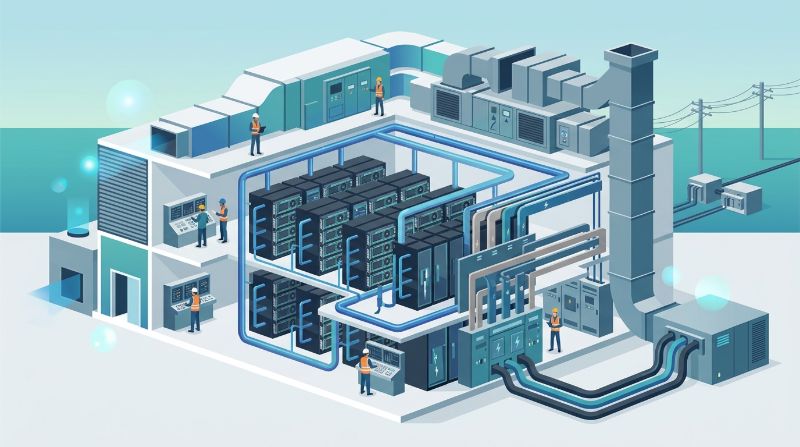
AWS GPU pricing is metered: instance hours, attached storage, and data egress each accrue separately, and spot pricing fluctuates with supply. For a team running continuous inference, that meter makes monthly spend difficult to forecast, especially when utilization varies.
Dedicated GPU cloud pricing works the other way. Capacity is contracted for a term, so the monthly bill is known in advance and utilization variance does not change it. Teams that can commit to a capacity level convert an unpredictable cost line into a fixed one, which matters for budgeting and for board-level planning.
Where Hidden AWS GPU Costs Accumulate
Three AWS cost categories consistently surprise AI teams. Egress charges grow with data movement between services and regions. Storage for datasets and model checkpoints scales independently of compute. Idle buffer capacity, kept online to survive quota changes, bills at full rate whether it trains or not. A dedicated environment with fixed pricing removes the meter on the first two and makes the third explicit at contract time.
Capacity Availability: Quotas vs Reserved GPUs
AWS GPU availability depends on region-level quotas. Teams can be blocked from launching instances even when they are willing to pay, and large clusters often require a quota request that takes time to approve. Dedicated GPU clouds contract the GPUs up front, so capacity is reserved for your workloads rather than subject to a shared pool.
Data Residency and Control Differences
Cost Decision Matrix: Enterprise GPU Infrastructure TCO
| Infrastructure Model | Billing Structure & Predictability | Data Egress & Transfer Surcharges | Idle Compute Wastage Risk | Long-Term TCO for Sustained AI |
|---|---|---|---|---|
| Public Cloud On-Demand & Spot | Per-hour metered billing with dynamic peak surge rates | Metered egress fees ($0.05–$0.09/GB) creating billing unpredictability | Severe runaway costs when idle instances remain unmonitored | High volatility; massive cost inflation under continuous utilization |
| On-Premises Hardware Purchase | Upfront capital expenditure (Capex) with 3–5 year depreciation | Zero egress fees within enterprise local network | Sunk capital cost whenever project workloads fluctuate or pause | Fixed asset depreciation plus unpredictable power and cooling overhead |
| OneSource Dedicated GPU Cloud | Predictable flat-rate monthly pricing with zero surprise surcharges | Zero data egress fees ($0.00 transfer penalties) | OnePlus platform automated idle shutdown eliminates compute waste | Highest TCO predictability and significant cost savings for sustained AI |
Both models can satisfy residency requirements, but the verification path differs. With AWS you select regions and configure the account, and responsibility for correct configuration sits with your team. A dedicated provider with a known U.S. footprint, such as OneSource Cloud's Texas-based data centers, gives a narrower and more auditable boundary: hardware you do not share, in facilities you can name.
When AWS GPU Instances Fit, and When Dedicated Capacity Fits
AWS fits teams that need quick access to a few GPUs, run bursty or short-lived jobs, or are building on AWS-native services like SageMaker. Dedicated capacity fits teams with steady inference demand, multi-GPU training that runs for weeks, strict residency or security requirements, and finance teams that need a fixed monthly cost.
For enterprise AI teams moving workloads into production, OneSource Cloud's Private AI Infrastructure applies the dedicated model end to end: exclusive GPU clusters in U.S. data centers, managed operations, and predictable monthly pricing.
FAQ
Is AWS GPU cloud more expensive than dedicated GPU cloud?
Per-hour rates can look lower, but the total bill includes storage, egress, and idle buffer capacity. Teams with steady utilization often find a dedicated environment's flat monthly rate competitive once those components are included, with the added benefit of a forecastable budget.
Does AWS guarantee GPU availability for large AI workloads?
Availability depends on region quotas and current supply. Large multi-GPU launches can require quota requests and waiting periods. Dedicated GPU providers reserve contracted capacity up front, so the GPUs are assigned to your workloads from day one.
Can I run HIPAA or residency-sensitive AI workloads on AWS?
Yes, through properly configured services and regions, with responsibility for correct configuration on your team. A dedicated U.S.-based environment narrows that responsibility to a named facility and single-tenant hardware, which many regulated teams find easier to audit.
How long does it take to move AI workloads from AWS to a dedicated GPU cloud?
Timeline depends on data volume and integration depth. Datasets and model checkpoints must be transferred, and services re-pointed to the new environment. Providers with managed migration support can typically complete a phased cutover in weeks rather than months.
Can I use both AWS and a dedicated GPU cloud together?
Yes, a common pattern keeps experimentation on AWS and moves steady-state training or inference to dedicated capacity. The two environments can share model artifacts through object storage, which gives teams burst flexibility without sacrificing cost predictability on the base load.
How does OneSource Dedicated GPU Cloud reduce total cost of ownership for AI workloads?
OneSource Dedicated GPU Cloud eliminates the high hourly premiums and hidden egress fees typical of multi-tenant hyperscalers. By offering transparent, flat-rate monthly contracts with zero data transfer surcharges and fully managed bare-metal hardware, enterprises achieve predictable budgeting, eliminate noisy-neighbor compute waste, and lower their total cost of ownership by 30% to 50% on sustained workloads.
Summary
AWS GPU instances and dedicated GPU clouds serve different stages of the same AI program. AWS optimizes for speed and flexibility with metered, quota-gated capacity. Dedicated GPU cloud optimizes for predictability: reserved single-tenant GPUs, named data center locations, and fixed monthly cost. The strongest results usually come from using both deliberately rather than forcing one model to do everything.
If your AI workload has reached steady production demand, compare a dedicated environment before your next AWS renewal. OneSource Cloud's Managed AI Infrastructure delivers reserved GPU capacity with 24/7 operations so your team can focus on models instead of cloud meters.
Related Articles
Recommended Reading
latest articles
-
Thermal Soak and Rack Burn-In Protocols for Enterprise AI Racks
-
Sizing 3-Phase 415V Power Drops for 80kW Enterprise GPU Racks
-
When Is a BAA Required for Enterprise Healthcare AI Hosting?
-
AI Platform Scheduler Selection Criteria for Enterprise Training
-
Preventing Preemption Thrashing in Enterprise Multi-Tenant AI
-
Why Larger Batches Increase TTFT in Enterprise LLM Serving
-
Tokens Per Second vs User Latency in Enterprise LLM Serving
-
When Are Async Checkpoints Unsafe in Enterprise Model Training?
-
Should Checkpoint and Dataset I/O Share Enterprise AI Storage?
-
InfiniBand vs RoCE v2 for AI Training Gradient Synchronization