
AI Orchestration for GPU Clusters: Scheduling to Serving
Quick Answer: An AI orchestration platform is a software layer that coordinates GPU capacity, workspaces, model workflows, deployment, and operational policies across a cluster. It gives platform teams a consistent way to share accelerators and gives AI developers governed access without requiring every user to manage schedulers, containers, storage paths, and monitoring independently.
Orchestration becomes important when one GPU cluster supports research, engineering, and production workloads at the same time. The platform should connect infrastructure signals to workload decisions so teams can see who is using capacity, why jobs are waiting, and how models move from experiments to services.
Why a GPU Cluster Needs an Orchestration Layer
A GPU cluster can be technically available but operationally difficult to use. Teams may rely on shared credentials, manual queue rules, inconsistent images, and informal priority decisions. The result is idle capacity in one workspace, long queues in another, and limited evidence for finance or security reviews.
An orchestration layer turns those informal practices into repeatable controls. It can expose quotas, standardize environments, connect deployment workflows, and provide a common view of cluster health. That is different from simply installing a dashboard: the platform must help teams act on the information it collects.
Core Controls in an AI Orchestration Platform
| Control | Enterprise Question | Useful Capability |
|---|---|---|
| GPU scheduling | Which workload receives capacity when demand exceeds supply? | Queue policy, priorities, reservations, and preemption rules. |
| Quota and access | How is usage allocated across teams and environments? | Role-aware quotas, project boundaries, and usage visibility. |
| Workspaces | Can developers start a reproducible environment safely? | Governed Jupyter, container, and pipeline workspaces. |
| Deployment | How does a validated model become a service? | Repeatable serving workflows, resource assignment, and rollback. |
| Observability | What explains a failed job or low GPU utilization? | GPU, node, network, storage, and workload metrics in one view. |
GPU Scheduling and Quota Design
Match policy to workload class
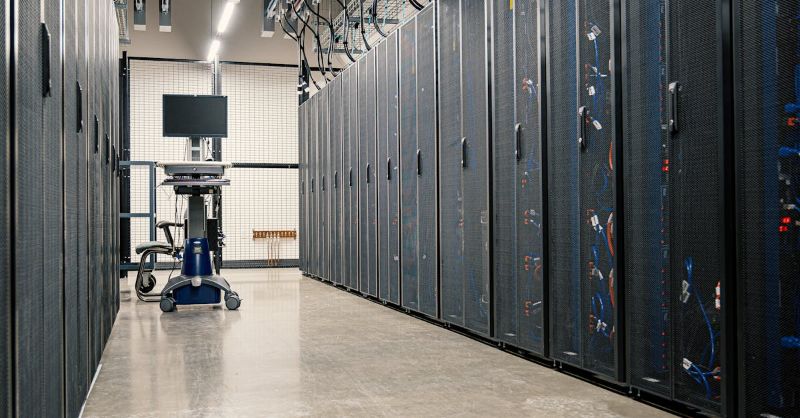
Training, inference, batch jobs, and interactive development should not all receive the same scheduling treatment. Define service expectations for each class, then assign capacity and priority accordingly. Production inference may need reserved capacity while research jobs can use a lower-priority queue.
Make utilization visible
Quota without usage data can create artificial scarcity. Track allocated, requested, reserved, and actively used GPU capacity, along with queue time and failure rate. The visibility helps teams adjust reservations and identify workloads that need better batching or memory configuration.
How Orchestration Connects to Private AI Infrastructure
Private AI infrastructure provides dedicated control over compute, data paths, storage, and network boundaries. Orchestration makes that environment usable across teams without giving every user unrestricted access to the underlying system. OneSource Cloud’s OnePlus Platform is positioned as an AI orchestration platform for this layer.
Infrastructure design still matters. If storage throughput or node-to-node networking is insufficient, scheduling cannot create performance that the hardware does not have. Pair orchestration with AI storage architecture and high-performance AI networking reviews.
Evaluation Checklist
- Can the platform schedule training, inference, and interactive workloads with different priorities?
- Can teams see quotas, utilization, queue time, and cost-relevant usage?
- Does it provide reproducible workspaces and controlled images?
- Can model deployment connect to monitoring, scaling, and rollback?
- Does access control align with sensitive data and private-cluster requirements?
FAQ
What is an AI orchestration platform for GPU clusters?
It is a software layer that coordinates GPU scheduling, quotas, workspaces, model deployment, monitoring, and access policies across a cluster. The goal is to make shared GPU capacity usable and governable for multiple enterprise teams.
How does GPU orchestration differ from a batch scheduler?
A batch scheduler queues jobs, while a broader orchestration platform can connect scheduling to developer workspaces, model-serving workflows, quotas, monitoring, and governance. Some organizations use both, with the orchestration layer providing the enterprise control plane.
Does orchestration reduce GPU infrastructure cost?
It can improve utilization and cost visibility, but it does not change the price of hardware by itself. Better scheduling, environment reuse, and workload metrics may reduce idle capacity and duplicated operations when teams share a cluster.
Do private GPU clusters require orchestration?
They usually benefit from orchestration once more than one team or workload class uses the cluster. Without a shared control layer, private capacity can become difficult to allocate, monitor, and secure as usage grows.
Summary
AI orchestration for GPU clusters connects capacity decisions with the workflows that consume them. Evaluate scheduling, quota, workspaces, deployment, observability, and access as one operating model. The platform should make a private or dedicated GPU environment easier to use without removing necessary control.
Next step: Explore OnePlus Platform for GPU cluster orchestration.
Related Articles
Recommended Reading
-
How Paged Attention Manages Inference KV Cache
-
Google Cloud GPU Pricing: What Enterprise AI Teams Should Evaluate Before Provisioning
-
Paperspace Pricing 2026: GPU Cost Breakdown
-
AI Infrastructure Costs: Controlling Enterprise GPU Spending
-
CoreWeave Enterprise GPU Cloud: Evaluation for AI Teams
-
CoreWeave vs Lambda Labs vs OneSource Cloud: GPU Provider Decision Guide
-
AWS GPU Pricing: Instance Types, Cost Structure & Alternatives Guide
-
U.S. Data Residency in the Cloud: Requirements, Regulations & Compliance Guide
latest articles
-
Private GPU Cloud Failover Without Breaking Data Isolation
-
GPU Telemetry Release Correlation to Diagnose Model Regress
-
Managed AI Infrastructure vs Self-Managed Clusters: Real TCO
-
Multi-Tenant GPU Governance for Healthcare and Clinical AI
-
Data Center Power Planning for AI Workloads and High Density
-
AI Network Latency Component Map: Where Microseconds Vanish
-
AI Model Runtime Portability: How to Prevent Cloud Lock-In
-
H100 Dedicated GPU Cloud Planning: Sizing, Power, and Fabric
-
Industrial AI GPU Infrastructure for Factory Vision Systems
-
Single-Tenant GPU Cloud vs Multi-Tenant GPU Cloud Security